20
PREPARATION
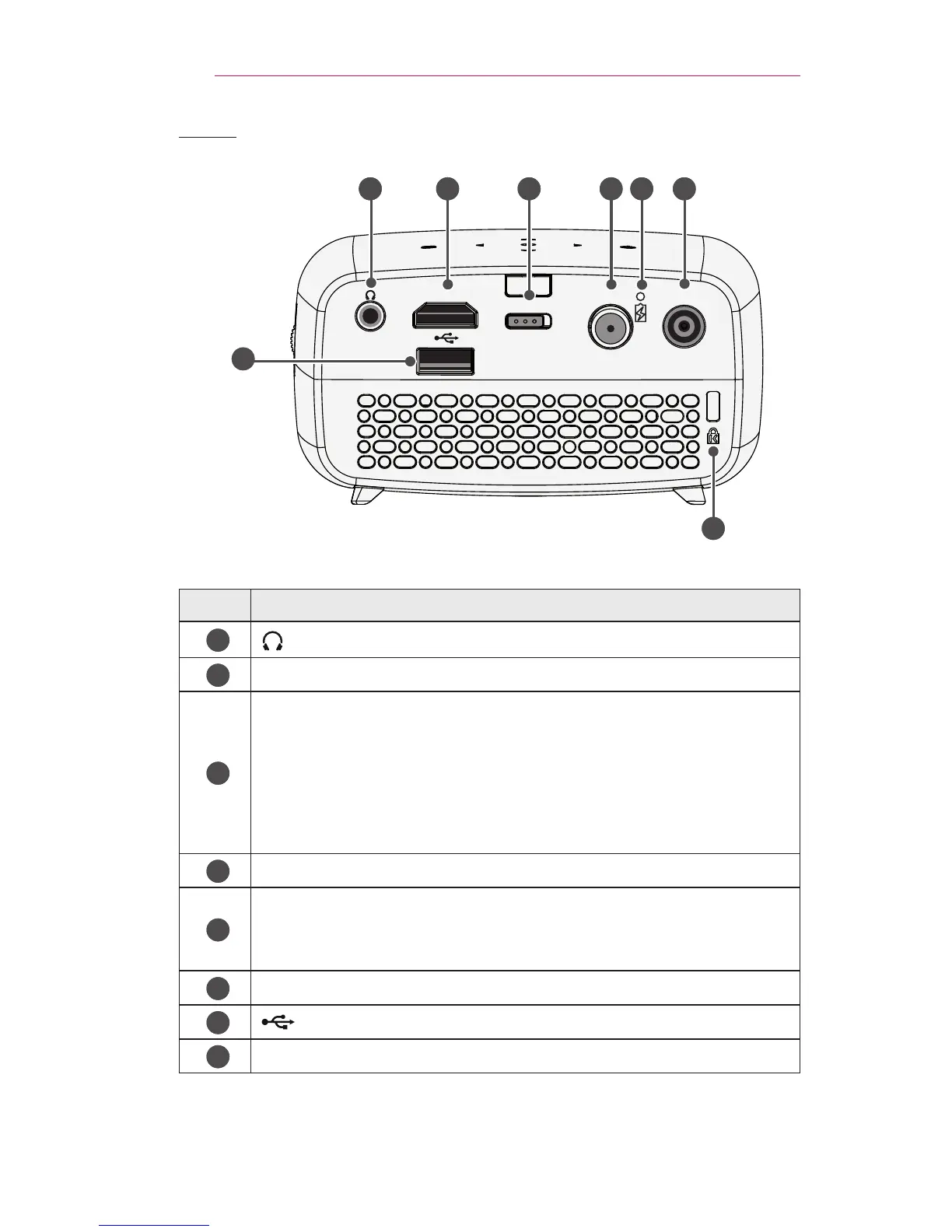
Back
HDMI / MHL
OFF / ON
ANTENNA IN
DC IN
2 3 4 5 6
8
7
1
No. Description
1
(Headphone Port)
2
HDMI/MHL Port
3
OFF/ON Switch
- OFF: Turns the projector off completely.
- ON: Turns the projector on and the projector goes into
Standby mode.
Place the switch to Off when you move the projector or when
you intend not to use the projector for long periods of time.
4
ANTENNA IN Port
5
Battery Charge Indicator
- Red: Charging
- Green: Charging complete
6
DC IN Port
7
(USB port)
8
Kensington security system connector



 To Next Page