27
USINGTHEPROJECTOR
USINGTHEPROJECTOR
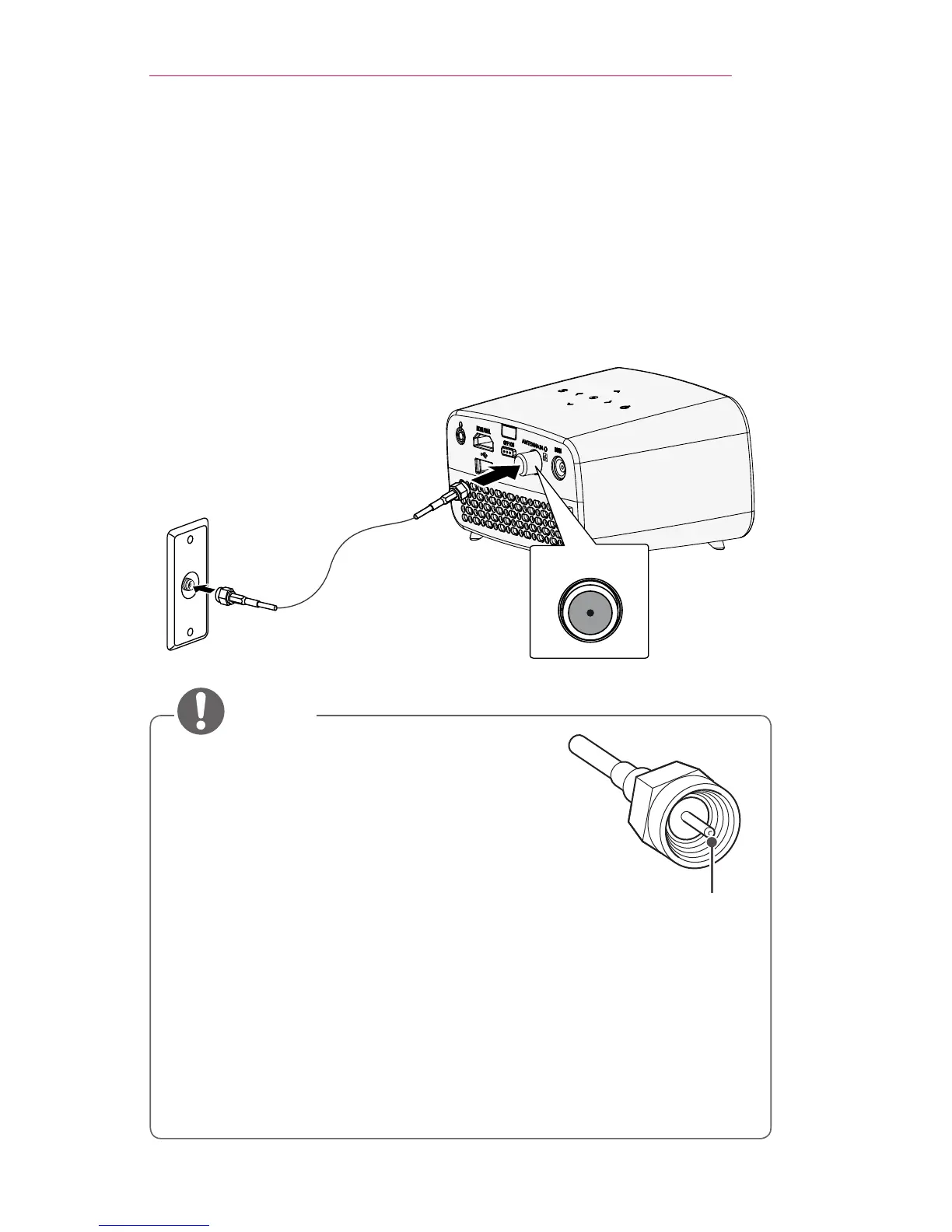
ConnectingtheAntennaorCable
To watch TV using an indoor/outdoor antenna, connect a wall terminal and
the ANTENNAIN port of the projector using an RF cable (75 Ω).
You can watch public TV or cable (analog, digital) TV. (The RF cable is
sold separately.)
ANTENNA IN
• Make sure not to bend the copper wire of
the RF cable (75 Ω). Turn the input jack to
the right to fasten it.
• Ensure you use a standard coaxial cable
(75 Ω, sold separately) when connecting to
the projector input.
• For better image quality in locations where
signal strength is low, purchase and install a
signal amplifier (booster).
• A signal splitter is required if you want to use two or more
projectors through one antenna.
• If you have any problems when installing the antenna, please
consult a suitable retailer or the store where you purchased the
antenna.



 To Next Page