52
MYMEDIA
SetVideo.
You can change video settings. (Refer to "PICTURE Settings" on page 60.)
SetAudio.
You can change audio settings. (Refer to "AUDIO Settings" on page 65.)
ListeningtoMusic
You can play audio les stored on the connected device.
SupportedMusicFiles
*.MP3
Bit rate range 32 Kbps - 320 Kbps
• Sampling rate MPEG1 Layer3: 32 kHz, 44.1 kHz, 48 kHz
• Sampling rate MPEG2 Layer3: 16 kHz, 22.05 kHz, 24 kHz
BrowsingMusicList
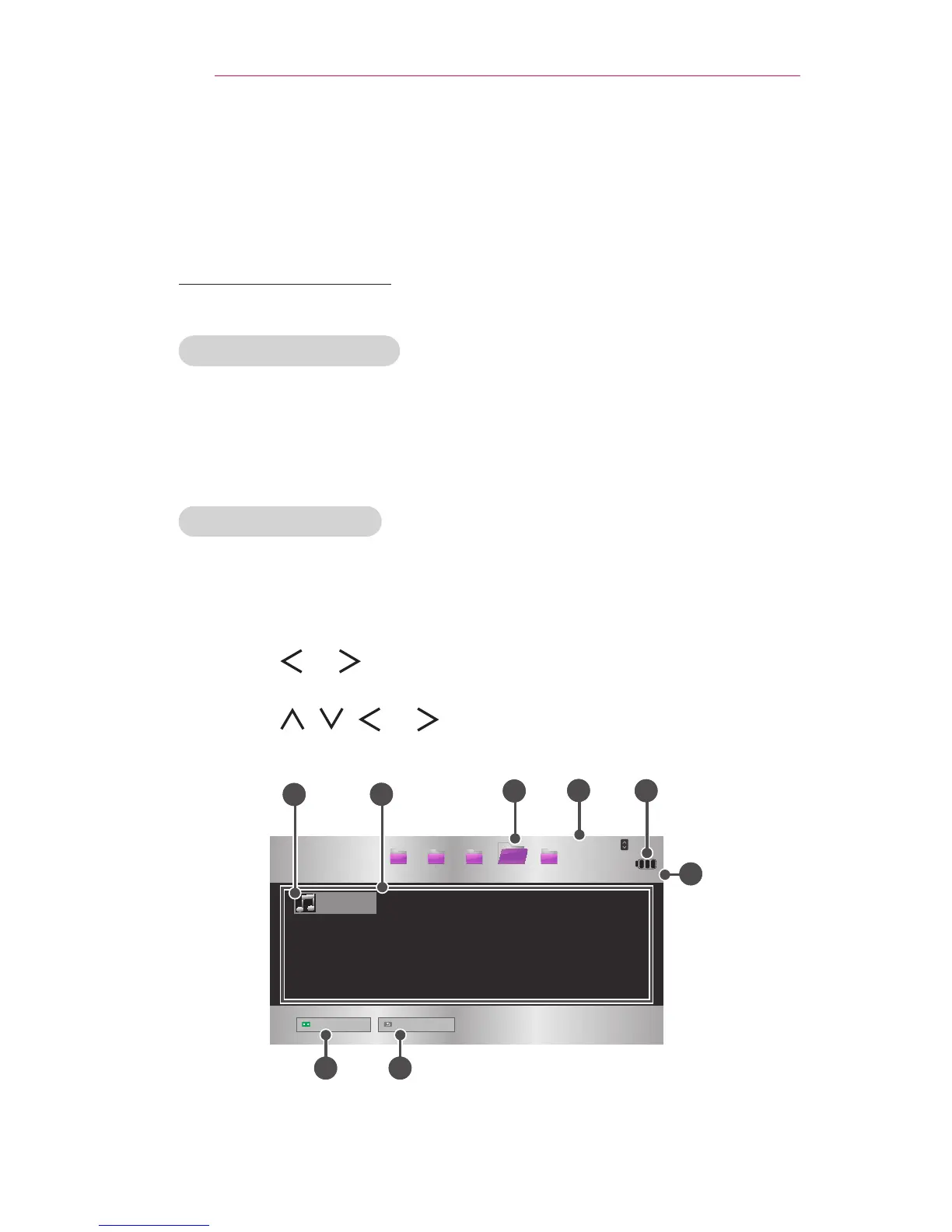
1 Connect a USB device.
2 Press the SETTINGS button.
3 Move to MYMEDIA.
4 Use the , or button to select MusicListand press the OK
button.
5 Use the , , , or button to select the le you want and press
the OK button.
USB STORAGE DEVICE
Page 1/1
Page 1/1
Drive1 Drive5Drive3 Drive4
Drive2
CH
Page Change
Music List
Butterfly_...
01:34:33
Go to root folder
Go to upper folder
1
2
4
7 8
3
6
5



 To Next Page