Operating18
Operating
4
Using the SmartShare
What is SmartShare?
You can play Photo, Music and Video les on the
unit by connecting a USB device or home network
(DLNA).
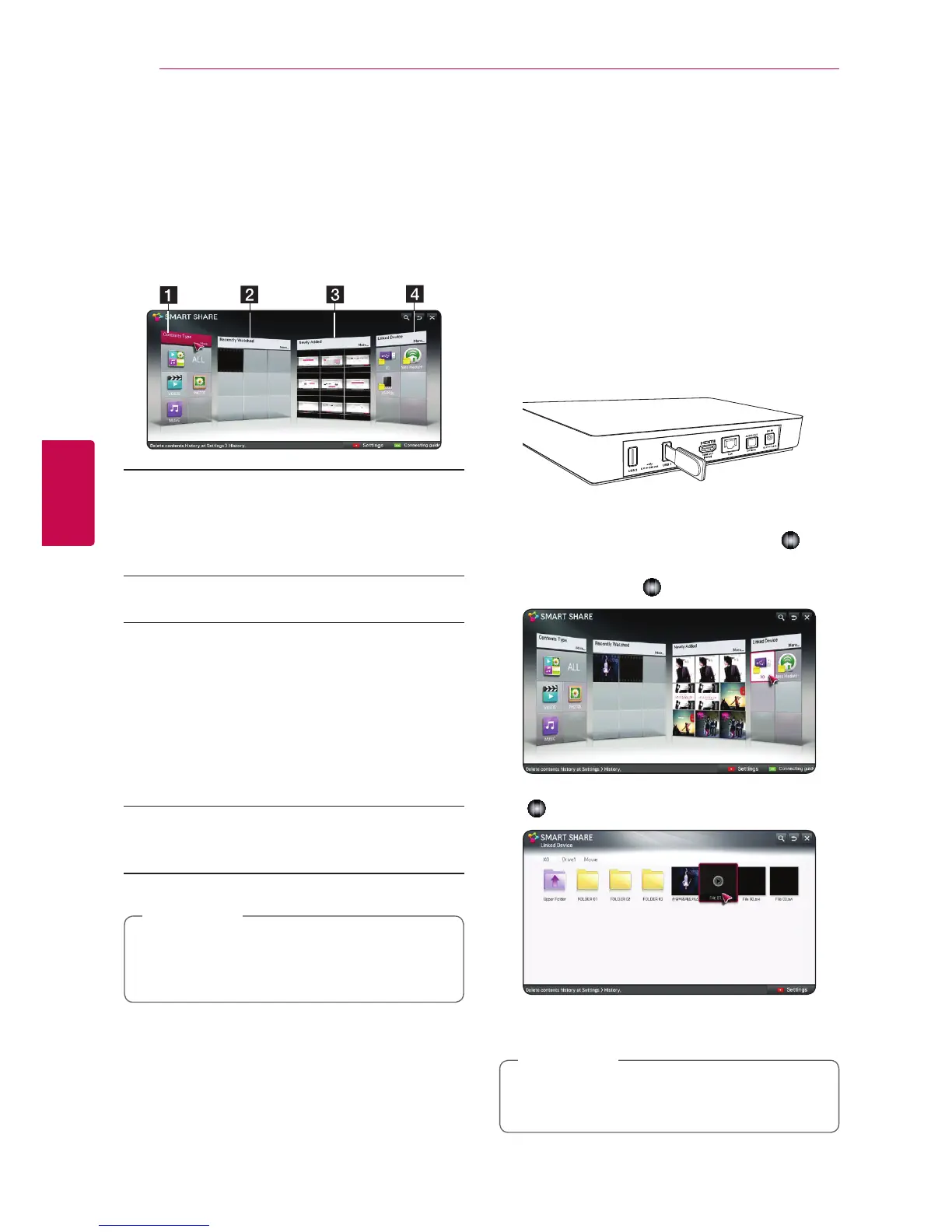
a [Contents Type] - Displays photo /music/
video les on all devices connected to the
unit. All kinds of content can be played in
each category depending on the content
type .
b [Recently Watched] - Displays movie les
recently played back from top left of the card.
c [Newly Added]- Displays newly added les
by connected device.
�
Displays newly added contents in
alphabetical order from top left of the card.
�
If you add new contents ,it will be showed
as a re-entry to the [Smart Share].
�
If there is not any connected device,
sample images are showed.
d [Linked Device] - Displays connected all
devices (USB/ home network (DLNA)/ Smart
phone you are able to play le back.
All content les or folder are arranged in
alphabetical order (Digit
/
English
/
korean)
regardless of content types.
,
Note
Playing the linked
devices
Playback content in the USB
device
Home menu
/
[SmartShare]
/
[Linked
Device]
1. Insert a USB device to the USB1 or USB2 port
until it fits into place.
2. Press HOME (
n
).
3. Select [Smart Share], and press Wheel (
).
4. Select the [USB] on the [Linked Device] card,
and press Wheel (
).
5. Select a file you want to play, and press Wheel
(
).
6. Press BACK (
1
) button to return to the file or
folder list.
All les of [Linked device] also can be played
on the [Contents Type].
,
Note



 To Next Page