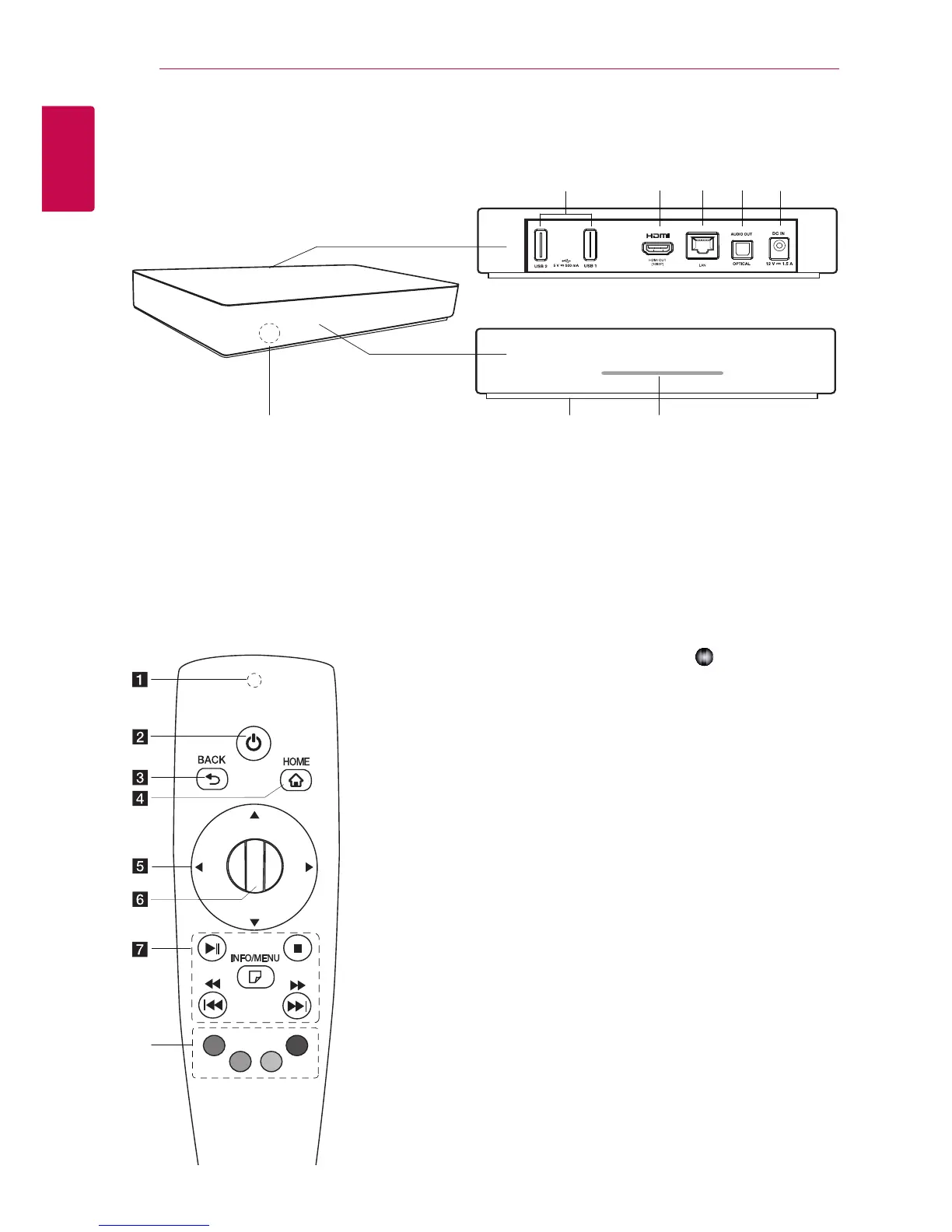
a
USB1, USB2 port
b
HDMI OUT (1080p)
c
LAN port
d
OPTICAL AUDIO OUT
e
DC IN 12V (AC adapter input)
f
Remote sensor
g
RESET
* RESET button is located at the bottom of
the unit. ( Refer to the page 43)
h
Power indicator
a
Remote Control Indicator:
(RF & Bluetooth transmitter)
Blinks when operating.
b
1
(POWER): Switches the
unit ON or OFF.
c
BACK (
1
): Exits the menu or
return to the previous screen.
d
HOME (
n
): Displays or exits
the Home Menu.
e
Direction buttons: Selects
an option in the menu.
If you press the navigation
button while moving the
pointer on the screen, the
pointer disappears, and the
Magic remote control works
as a regular remote control.
To display the pointer again,
shake the Magic remote
control from side to side.
f
Wheel (
): Selects menus
or options and conrms your
input ; Scrolls the screen to
search a menu on the web
browser.
g
N
(Play/Pause): Starts
playback.
/
Pauses playback.
Z
(Stop): Stops playback.
c/v
: Searches
backward or forward.
C/V
: Moves previous/
next track or le.
m
(INFO/MENU): Displays or
exits On-Screen Display.
h
Colored (R, G, Y, B) buttons:
Use to navigate screen
menus. They are also used for
[LG Smart World], [3D World],
and [LG Apps] menu.
Remote control
h



 To Next Page