Appendix32
Appendix
5
Adjust the Setup
Settings
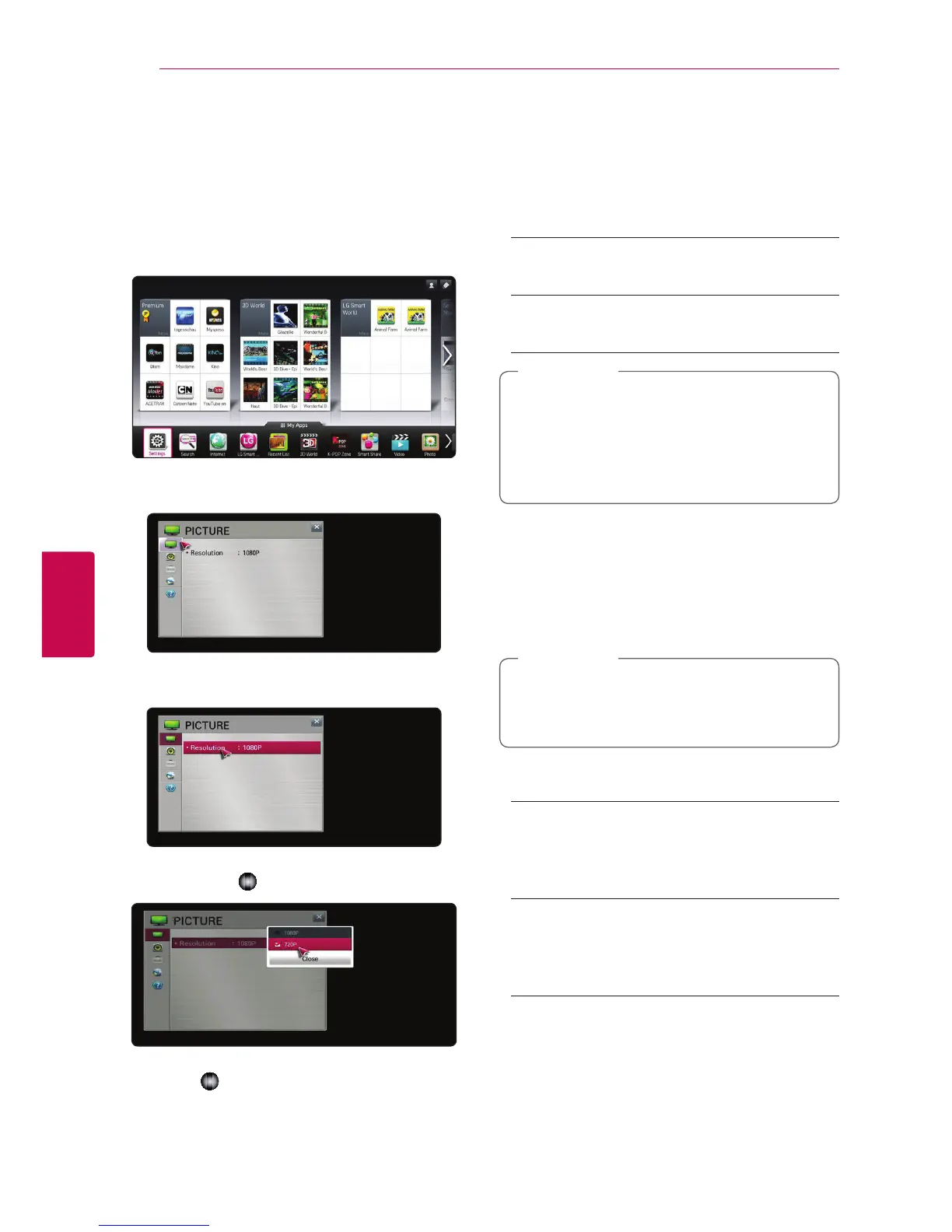
You can change the settings of the unit in the
[Settings] menu.
1. Press HOME (
n
).
2. Select the [Settings] menu in the [My Apps]. The
[Settings] menu appears.
3. Use
s/w
to select the first setup option, and
move to the second level.
4. Use
a
/
d
to select a second setup option, and
press Wheel (
) to move to the third level.
5. Use
s/w
to select a desired setting, and press
Wheel (
) to conrm your selection.
[PICTURE] Menu
Resolution
Sets the output resolution of the HDMI video signal.
Home menu
/
[Settings]
/
[PICTURE]
[1080p]
Outputs 1080 lines of progressive video.
[720p]
Outputs 720 lines of progressive video.
If top, bottom, right and left parts of the
image are cut o, change the setting option
TV ASPECT RATIO to JUST SCAN on your
TV. Depending on the TV brand, menu
conguration may dier slightly.
,
Note
[SOUND] menu
Set the unit’s Sound options according to the type
of audio system you use.
Home menu
/
[Settings]
/
[SOUND]
Since many factors aect the type of audio
output, see “Audio output Specications” on
page 44 for details.
,
Note
Sound Setting
[PCM]
Select if you connect this unit’s HDMI OUT or
DIGITAL AUDIO OUT jack to a device with two-
channel digital stereo decoder.
[Auto]
Select if you connect this unit’s HDMI OUT or
DIGITAL AUDIO OUT jack to a device with PCM
or Dolby Digital.



 To Next Page