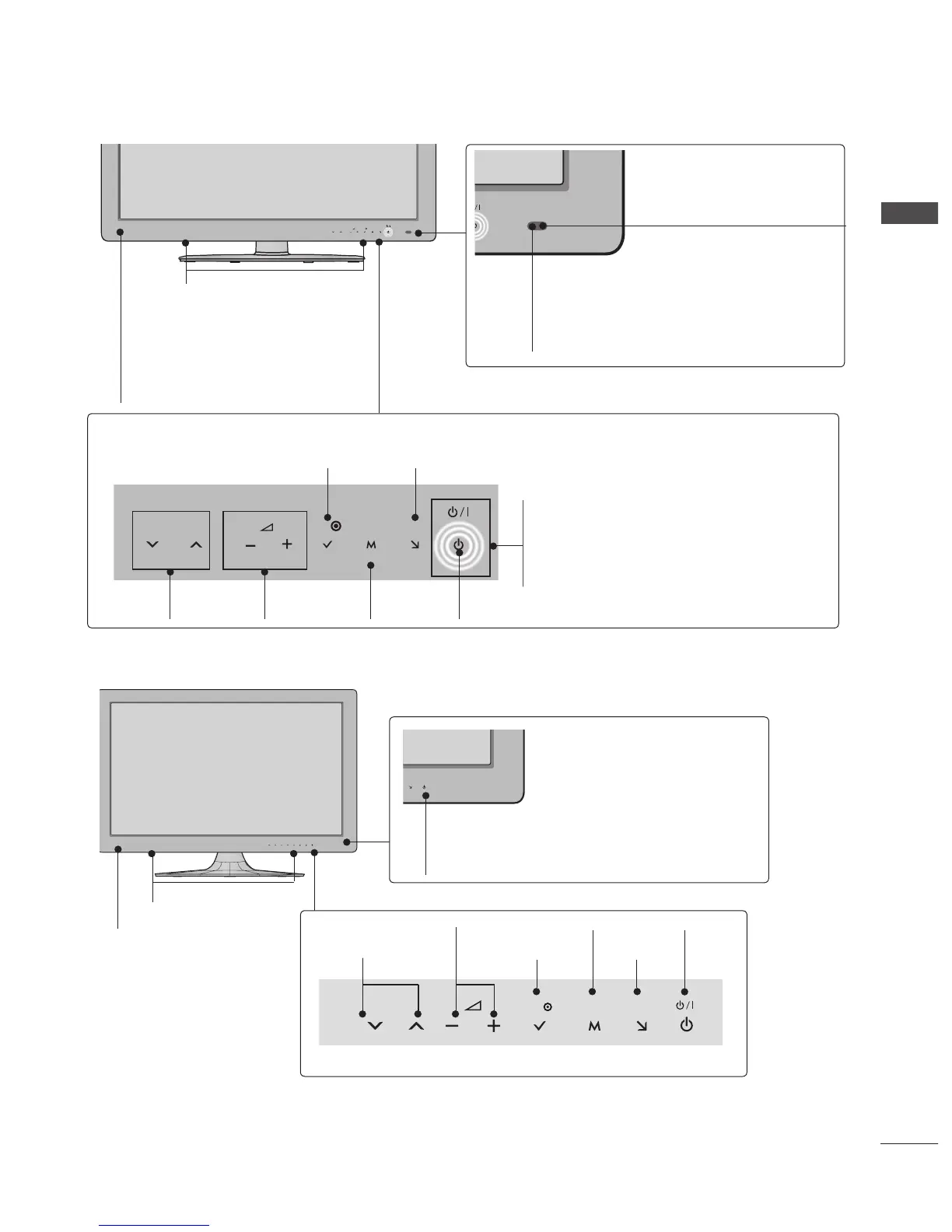
Intelligent Sensor
Adjusts picture according to
the surrounding conditions.
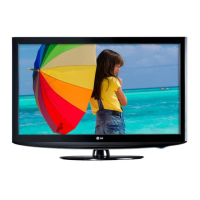
INPUT
MENU
P
OK
PROGRAMME
VOLUME
MENU
POWER
INPUTOK
Touch Sensor
• You can use the desired button function by touching.
Power/Standby Indicator
(Can be adjusted using the Power
Indicator in the OPTION menu.)
Emitter (Only 42/47/55LX6
***
)
It is the part equipped with the emitter
exchanging signal with 3D glasses.
Please be careful not to block
the screen with objects or people
while watching a 3D Video.
■ Image shown may differ from your TV.
Only 32/37/42/47/55/60LE5***, 32/37/42/47/55LE7***, 42/47/55LX6***


 To Next Page