7
Step 5
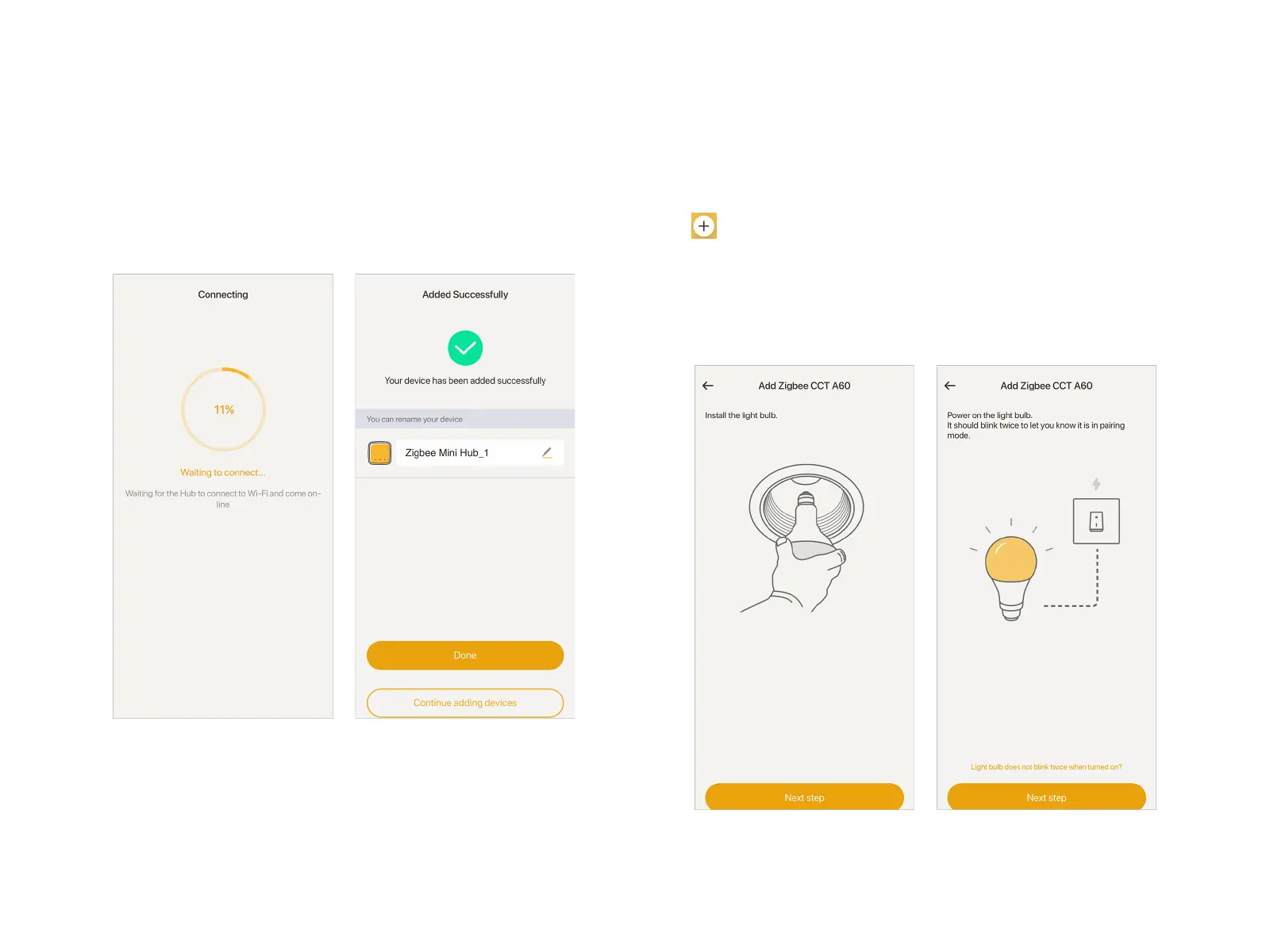
Wait for about 1 minute, the APP will add the Mini Hub
automatically. Then you can choose to assign it to a room, or tap
"+" to create a new room.
Step 6
After adding the Mini Hub, the next step is to add Smart Bulbs.
Tap at the top right corner of Home page, select "Lighting"
- "Zigbee DIM A19"/"Zigbee CCT A19"/"Zigbee CCT A60" in the
Device List;
Re-plug in the smart bulbs and it will blink twice. If not, you need
to power on and off the bulb consecutively for 6 times until it
blinks twice. Tap "Next step";
Add Mini Hub and Smart Bulb Separately


 To Next Page