14
Level-Up®
Aftermarket Manual
www.lippertcomponents.com (574) 537-8900 Rev: 09.15 - Level-Up® Aftermarket Manual
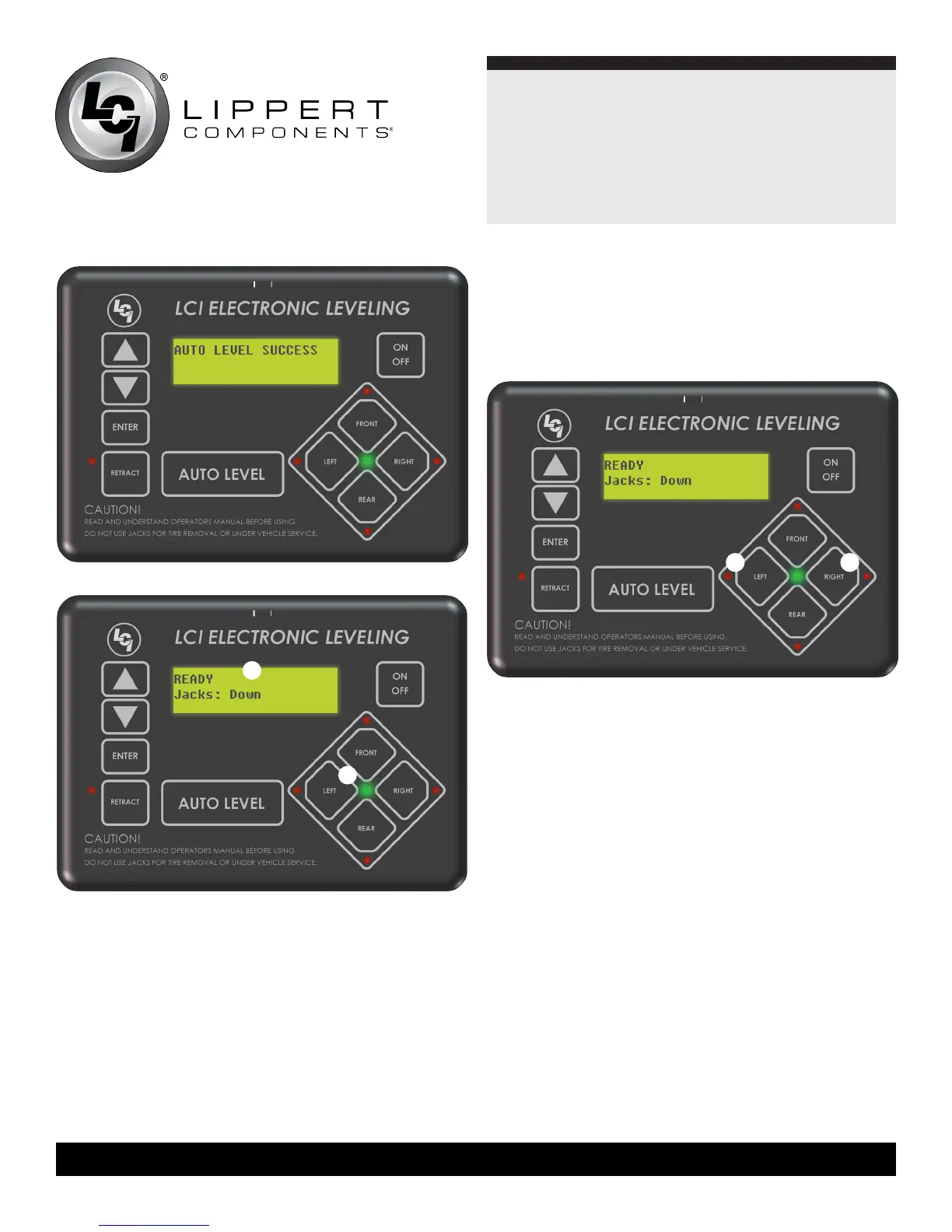
the green LED at the center of the four jack buttons will be
illuminated (Fig. 32B).
NOTE:If the auto level sequence does not perform as
described, place the system in the manual mode and
test that the jacks operate correctly by pushing their
coordinatingbuttonsonthetouchpad;i.e.FRONTbutton
operates only the front jacks.
A
B
Hitch Recognition
1. Turn on touch pad.
2. Press the left and right buttons simultaneously (Fig. 33A
and 33B).
A B
3. All leveling jacks will retract first, then the landing gear will
extend to raise the unit to the height where the auto level
sequence was started.
NOTE: If the auto level sequence was started with the front of
theunitinabelow-levelcondition,theHitchRecognition
will not function and the LCD will display “Feature
Disabled.” In order for hitch recognition feature to function,
the auto level sequence must be started with the front of
the unit above level.
Fig.31
Fig.32
Fig.33






 To Next Page