Rev: 08.30.22 Page 29 CCD-0006500
2. To disconnect and unpair the iOS smart device from the connected controller, do as follows:
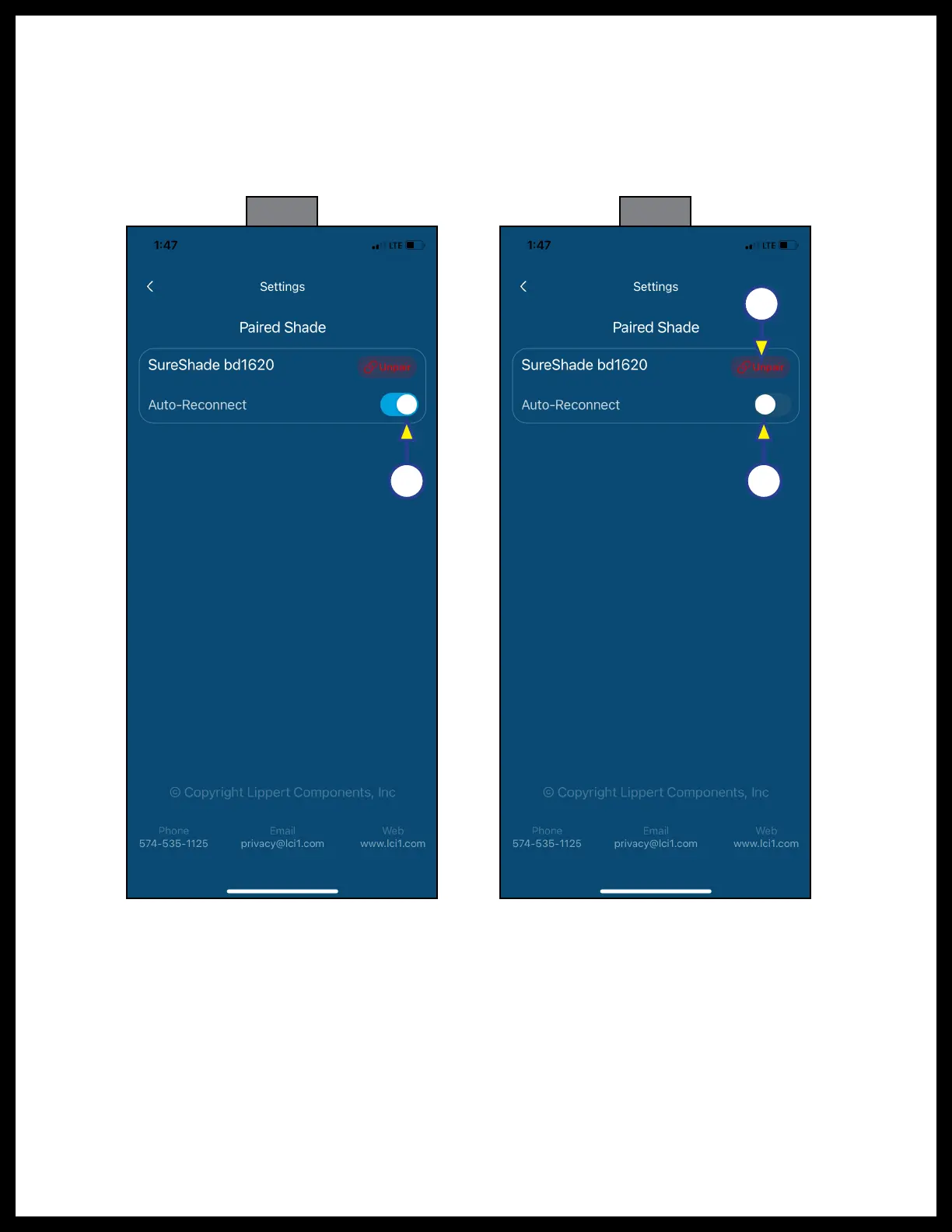
A. With the app open to the Raise and Lower button screen (Fig. 21), tap the gear icon (Fig. 21A) to
access the Settings screen (Fig. 24).
B. Tap the slider button (Fig. 24A) to turn Auto-Reconnect on so the smart device will always
automatically reconnect with the controller.
C. Tap the slider button again to turn Auto-Reconnect off (Fig. 25A).
D. Tap the Unpair button (Fig. 25B) for the paired/connected shade.
A A
B
Fig. 24 Fig. 25



 To Next Page