Page 22 Chapter3: How to use Monitoring Software EMS Tools
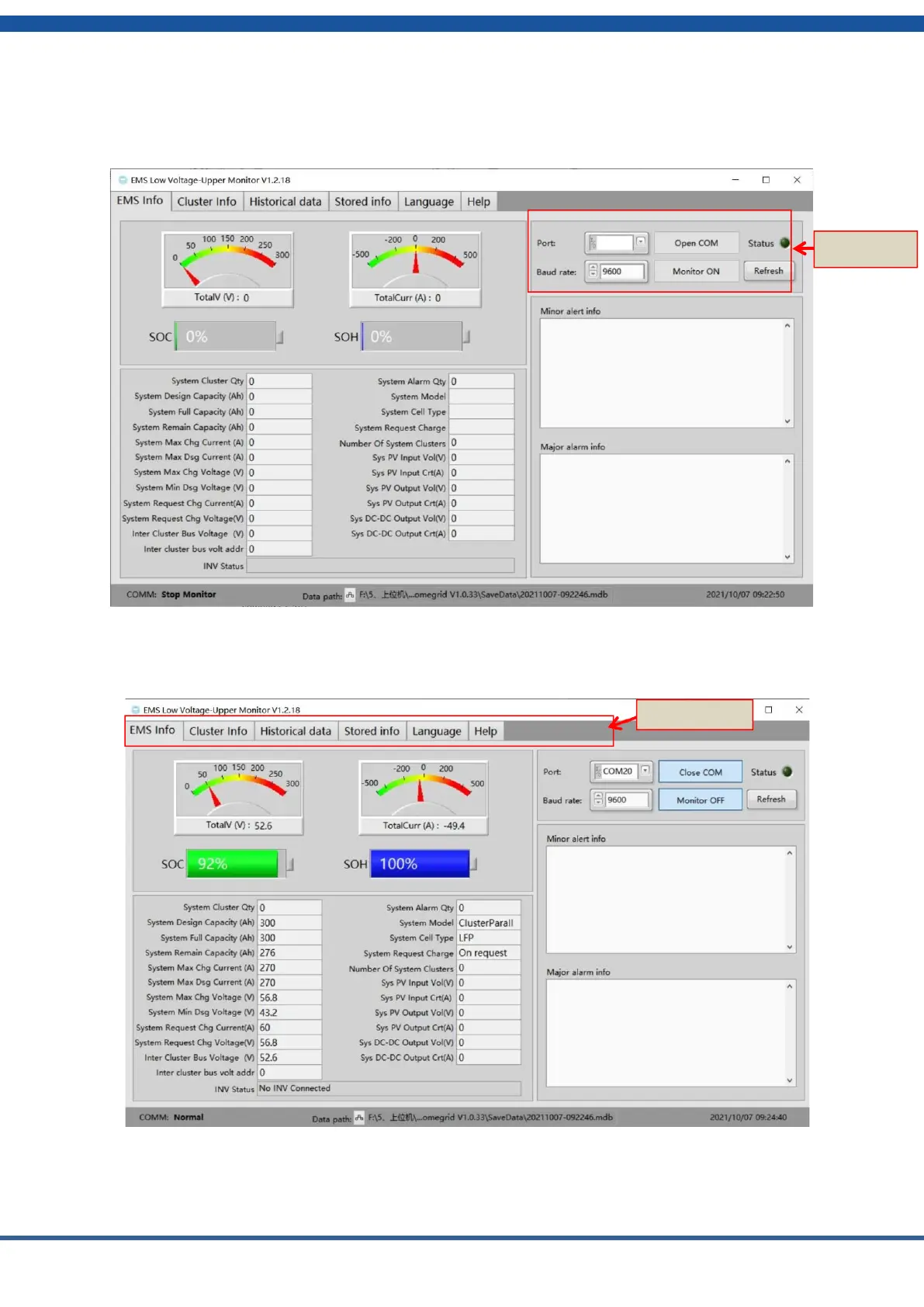
5) Select the serial port number in the EMS low voltage version of the Monitoring
Software EMS tool. The default baud rate is 9600. Click the open com and monitor open
buttons.
Figure3.1.5 Monitoring Software Ems serial port settings
6) The corresponding functions can be selected through the navigation bar of the
Monitoring Software EMS.
Figure3.1.6 Monitoring Software Ems data acquisition
7) Cluster information operation information: You can select the corresponding
operation information through the navigate on bar. A total of 15 clusters can be monitored.


 To Next Page