Page 23 Chapter3: How to use Monitoring Software EMS Tools
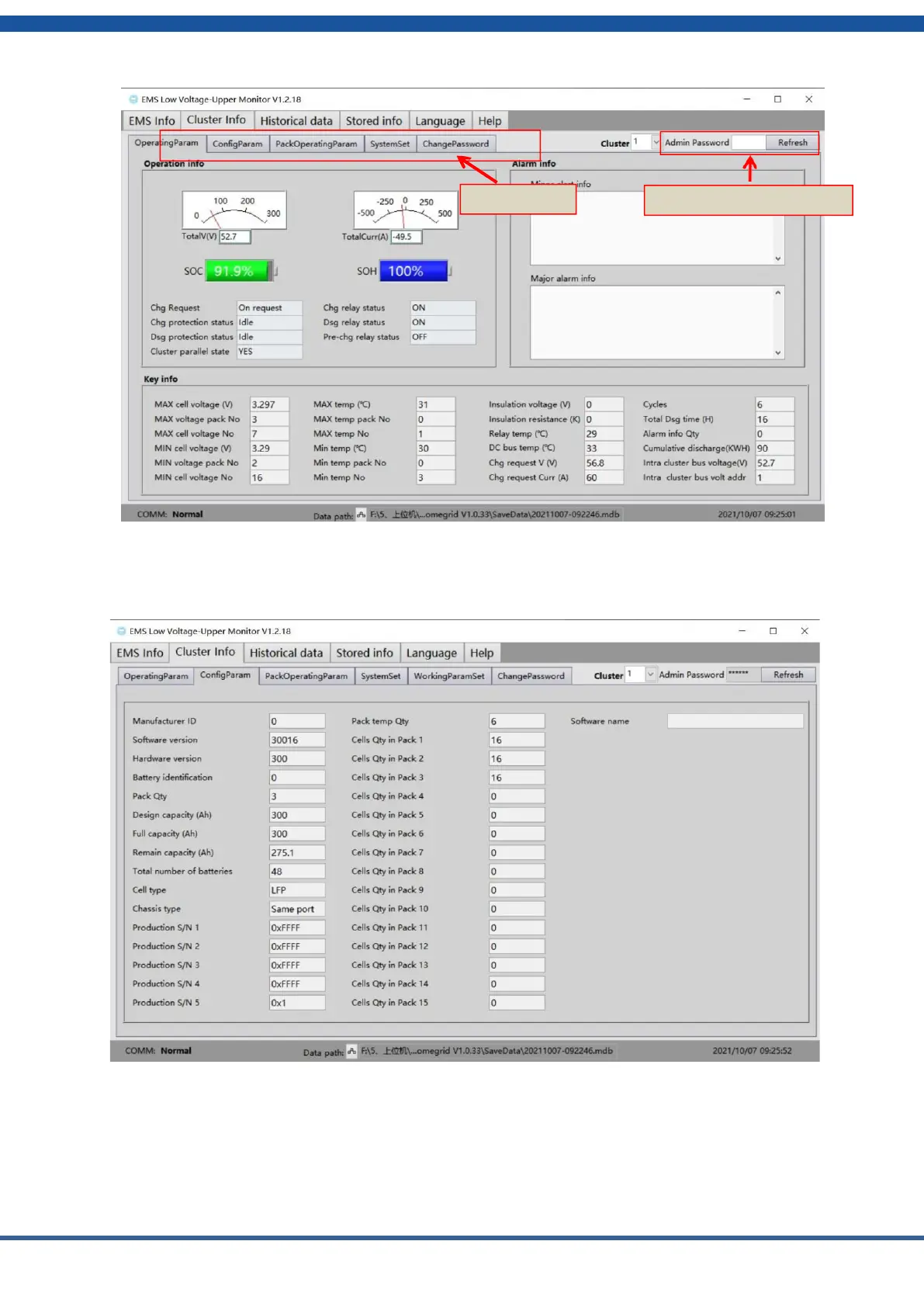
Figure3.1.7 Monitoring Software Cluster data acquisition
8) The configuration parameter interface displays the manufacturer identification,
software version, hardware version, production serial number, temperature quantity and
module battery quantity of a cluster in real time.
Figure3.1: Monitoring Software Cluster Matching parameters
NOTE:
●
The above contents only show the basic functions and operations of the monitoring software EMS tool. For
more information contact HomeGrid..


 To Next Page