Using Your Lively Mobile Plus
35
Using the Included Accessories
Clip Accessory
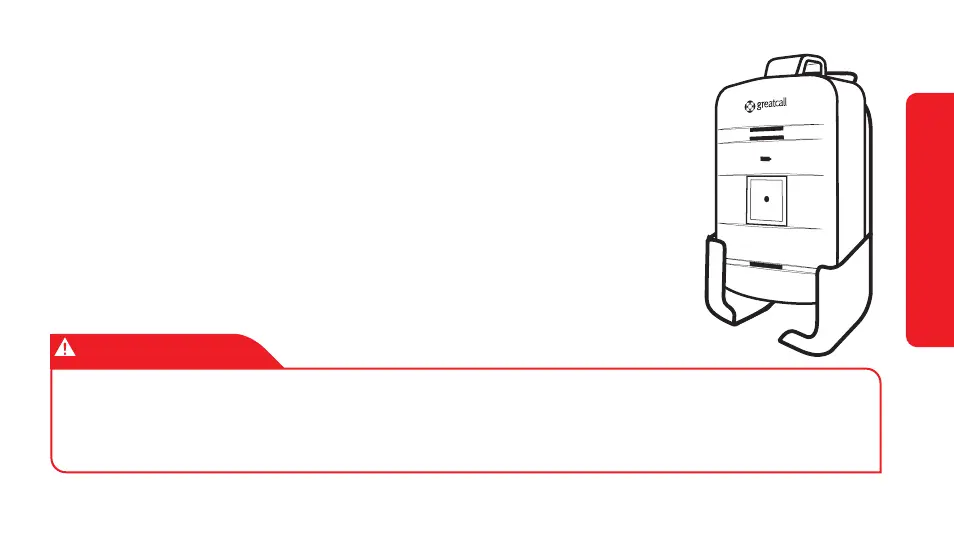
The included Clip Accessory allows you to attach your Lively
Mobile Plus to things like your purse, belt or pocket.
To attach the Clip Accessory, slide the Lively Mobile Plus
down into the accessory as shown in the illustration.
IMPORTANT!
If you are subscribed to Fall Detection, the Fall Detection feature will be disabled
when your Lively Mobile Plus is inserted into the Clip Accessory. Use the Fall
Detection Lanyard to re-enable the Fall Detection feature.


 To Next Page