Registering the Solo PRO
You need to repeat the registration process for each additional Solo PRO unit.
To register the Solo PRO:
1. In the Add Solo Unit area, type the unit's serial number in the Serial Number text box.
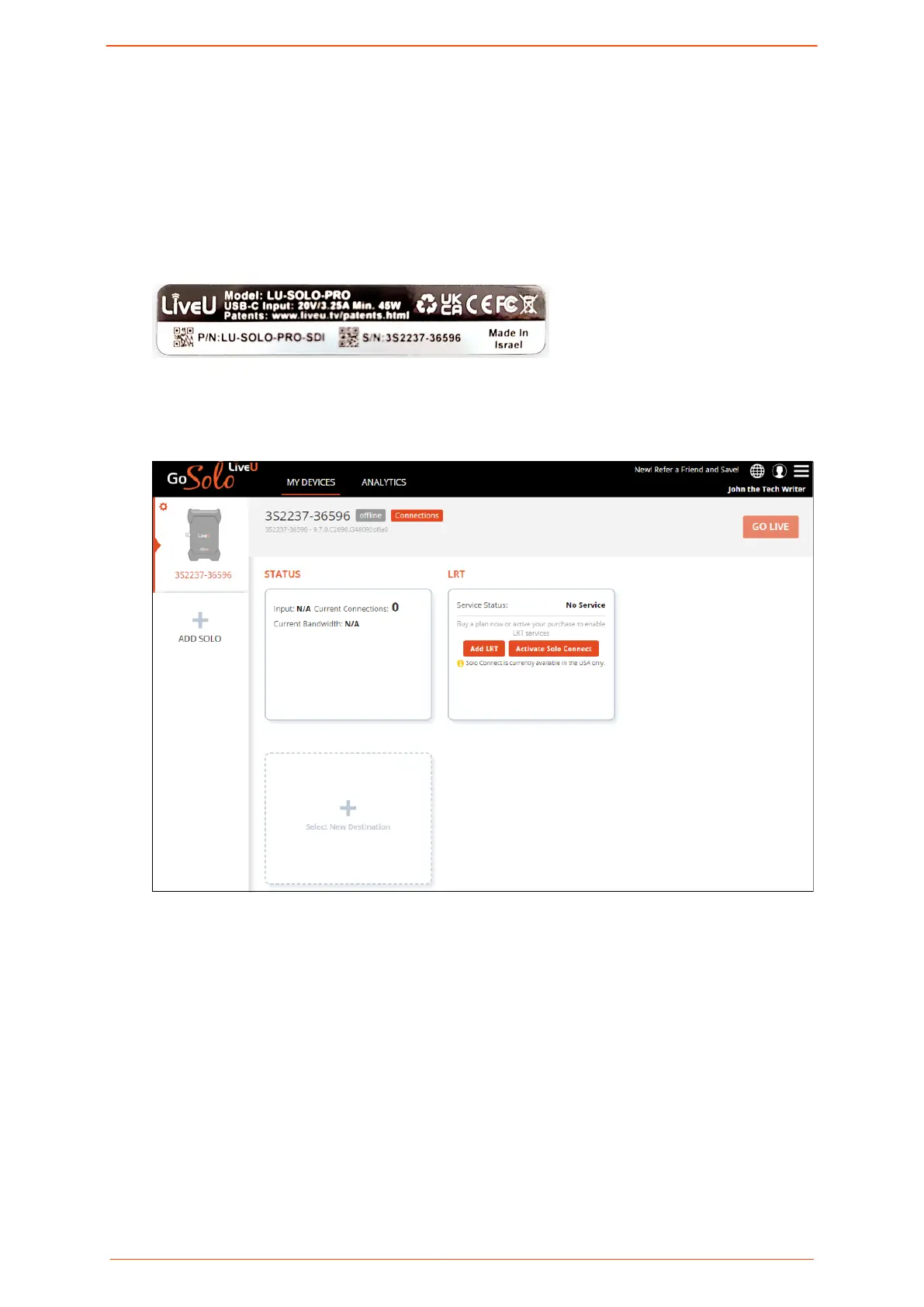
The unit's serial number is on the back of the device.
2. If a friend has shared a referral code with you, type it into the Referral Code text box.
3. Click Submit.
The Solo PRO dashboard is displayed.
In this dashboard, you can:
▪ Refer a friend
▪ Purchase LRT: LiveU Reliable Transport
▪ Register an additional Solo PRO device
▪ Select and manage your video streaming destinations
▪ Go Live: It is recommended that you begin streaming from the portal instead of
directly from the Solo PRO unit
▪ Reboot the unit
▪ Rename the unit
▪ Remove the unit
Logging in to the Solo PRO portal
Solo PRO User guide 9


 To Next Page