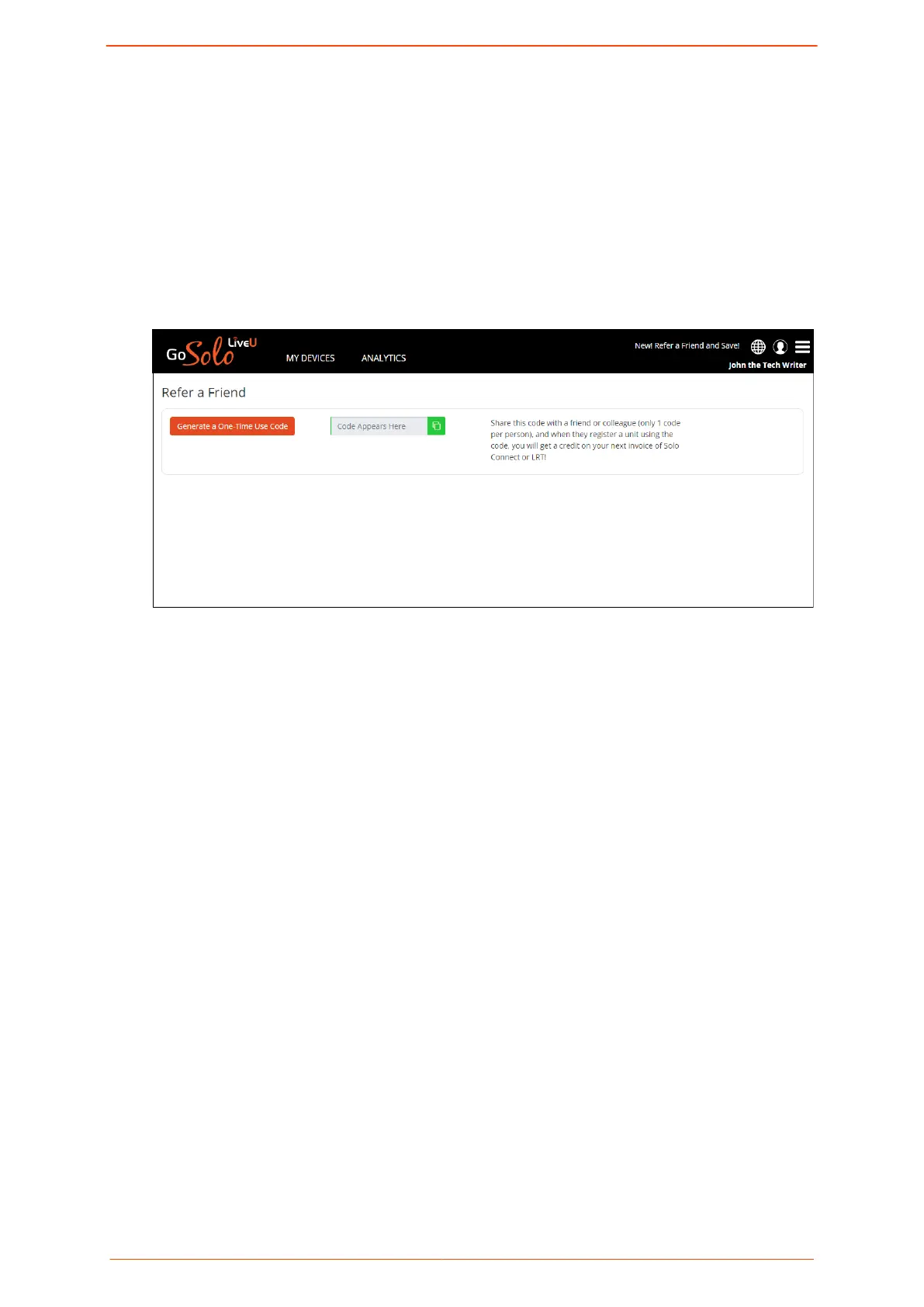
Referring a friend
Sharing a code with a friend gives you credit on your next invoice of Solo PRO Connect
(USA only) or LRT.
To refer a friend:
1. On the top right of the Solo PRO portal, click New! Refer a Friend and Save!
The following screen is displayed.
2. Click Generate a One-Time Use Code.
The code appears in the green text box.
3. Click Copy and send the code to a friend or colleague.
The code can be used one time only.
A record of all your earlier refferrals is displayed in the screen.
Purchasing LRT
An active LRT service enables simultaneous bonding of more than one network.
To purchase LRT:
1. Click Add LRT.
The following payment agreement screen is displayed.
Logging in to the Solo PRO portal
Solo PRO User guide 10


 To Next Page