2. Select a destination and sign in or register as required.
You can select multiple destinations.
3. To remove a destination, click the menu in the upper right corner to display the
Manage Destinations page.
4. Select one or more destination and click Delete.
The destination is removed from your list.
Rebooting the Solo PRO
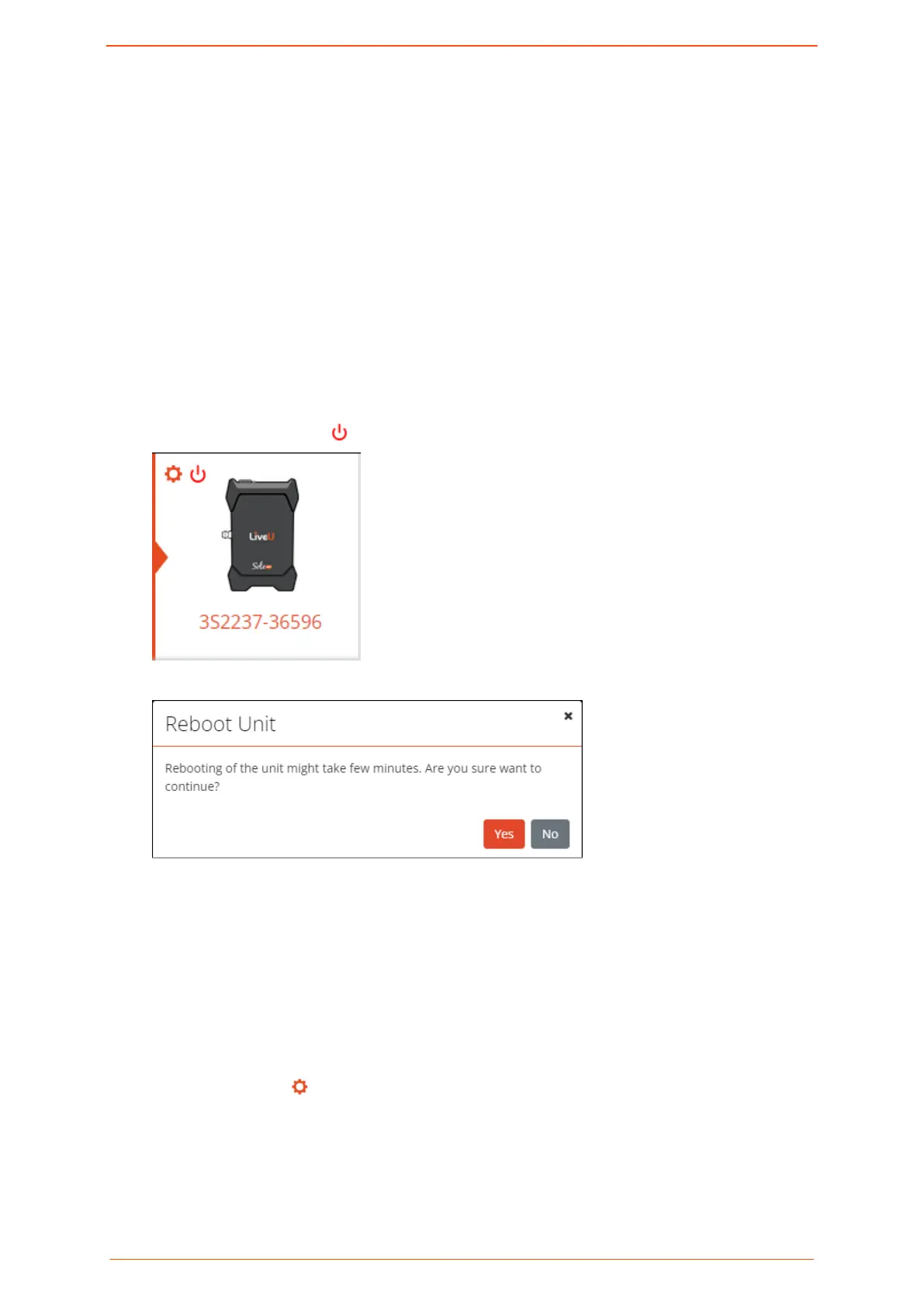
You can restart the unit from the portal.
To reboot the Solo PRO:
1. Click the Power button on the left side of the screen.
The following screen is displayed.
2. Click Yes to conrm the reboot.
Renaming the unit
The unit's default name is its serial number. You can personalize the unit by assigning a
new name to it.
To rename the unit:
1. Click the Settings button on the left side of the screen.
Logging in to the Solo PRO portal
Solo PRO User guide 12


 To Next Page