3-14
LOADRITE Sprint User manual
3. READY SCREEN
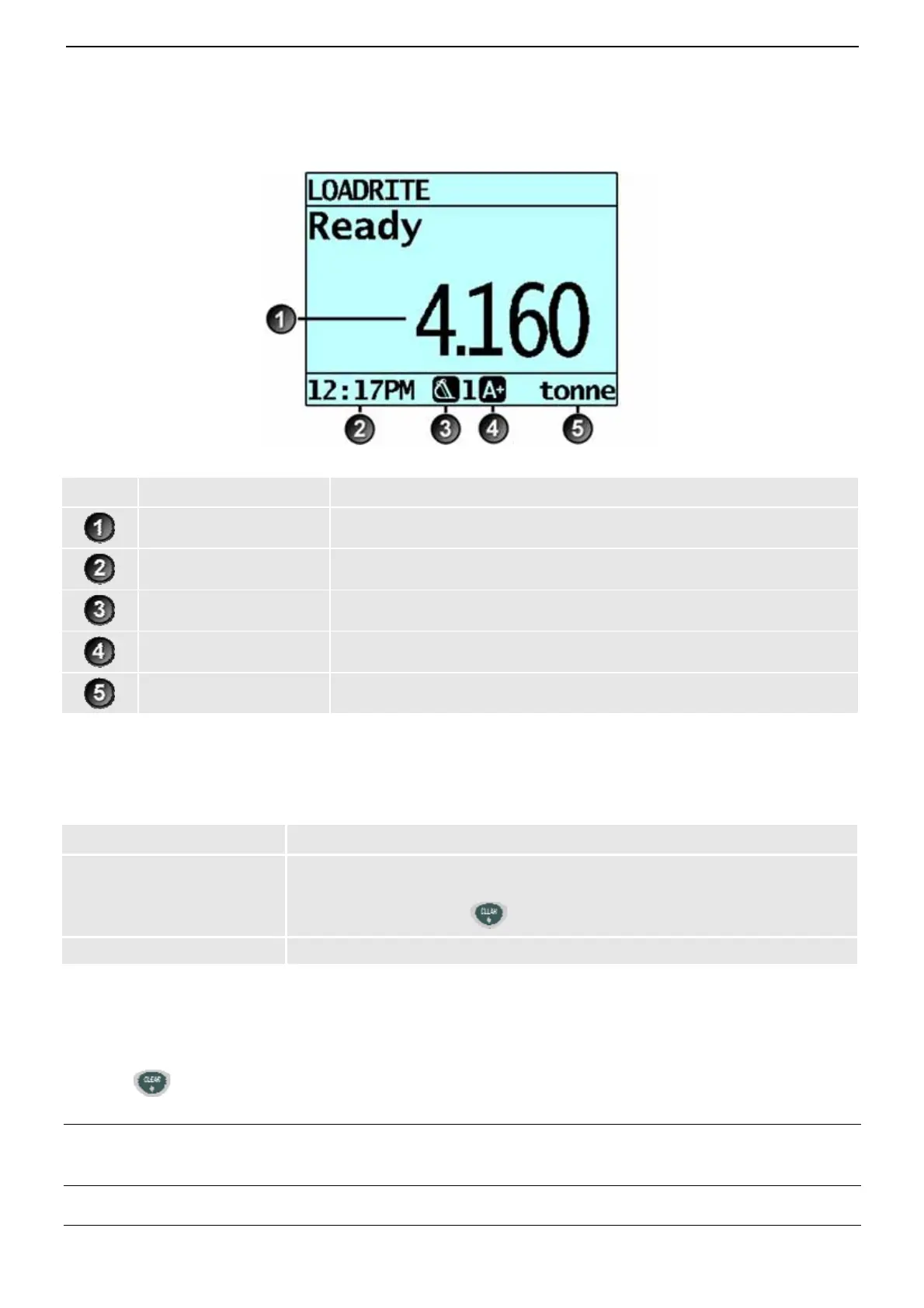
The Ready screen is the first screen that you will see when you turn on the Indicator. It displays the short total, number of
bucketloads and other information.
Component Description
Short total
The current short total of material that has been loaded.
Clock
The current time.
Weighing implement
The weighing implement being used by the loader.
Auto-add Indicates that the Auto-add functionality is On.
Unit of weight The unit of weight being used. The Short total is displayed in this unit of weight.
3.1. THE SHORT AND LONG TOTALS
The LOADRITE Weighing System keeps a running total of the load weights. Two independent totals are stored - the short total
and the long total:
Term Definition
Short Total
The running total amount of product weighed and loaded onto a truck or carriage.
The Short Total amount is displayed on the Ready screen and will continue to accumulate
until it is cleared by pressing .
Long Total
The total amount of product loaded over a long period, such as a work shift or day.
3.1.1. Clear the short total
The short total keeps accumulating until it is cleared. Clear the short total after a load has been completed, for example, after
each truck or carriage load.
Press
.
The short total will display briefly, followed by the Total Cleared message, then the Ready screen.
NOTE: If the LOADRITE Weighing System has a printer connected, then depending on your installation settings, (i) the
totals may be printed before being cleared, or (ii) you may be prompted to print the totals after the Total Cleared message
is displayed.



 To Next Page