Connect ID 40-55 DR+
User guide
13
Connecting the TV set to the Home network
You may link your TV set to the home network by a wired connection
(Ethernet, Powerline) or by a wireless radio connection (WLAN).
Please contact your specialist dealer for more information on Power-
line.
For the network adaptor configuration, see chapter System settings,
section Multimedia / Network– Network settings.
Under no circumstances may the TV set be wired and at the
same time connected by a wireless connection to the same
network, e.g. router. This may cause severe operational faults!
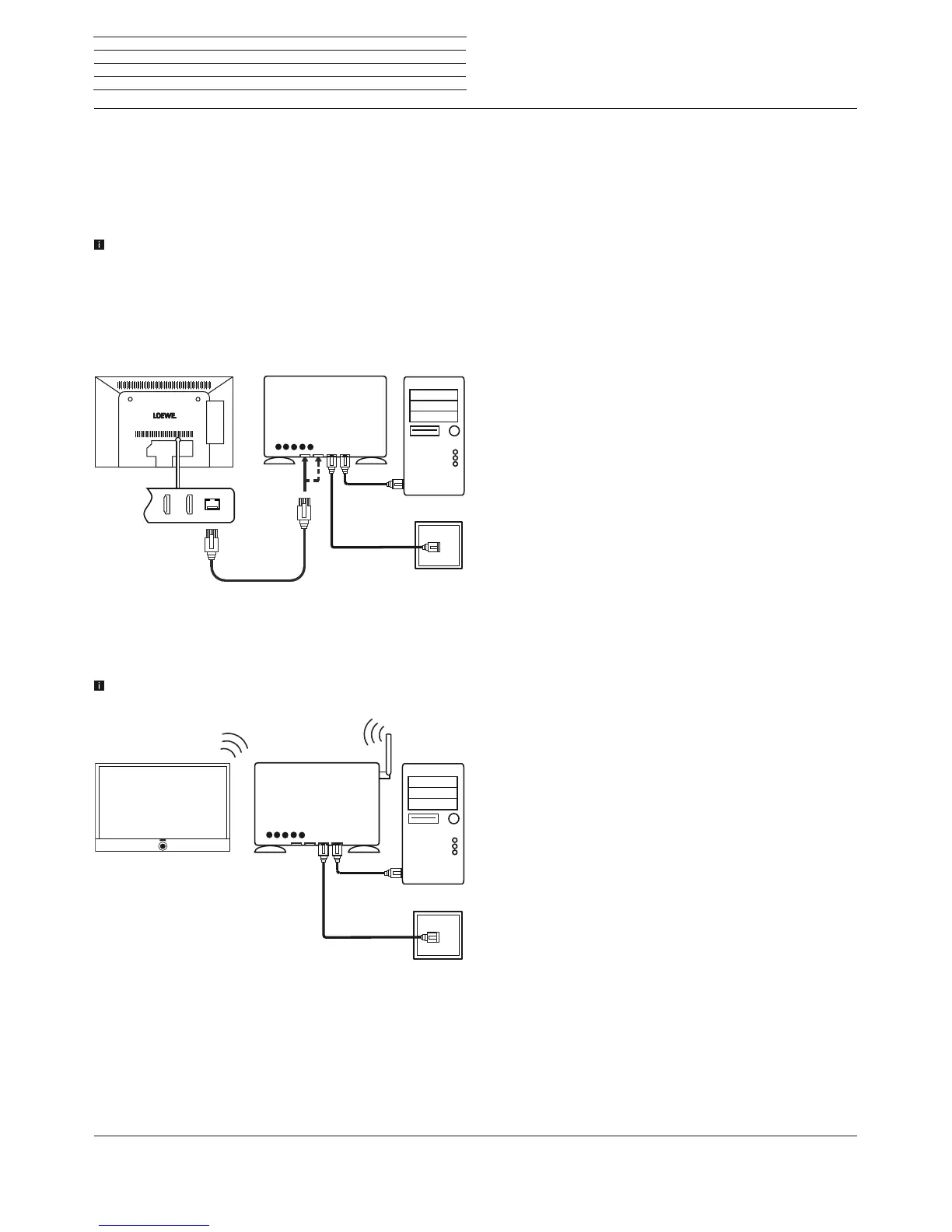
Example for a wired connection
Connect the LAN socket of your TV set to the LAN switch/router of
your home network with a network cable (available from your dealer).
Example for a wireless connection
You can connect the TV set to your home network by a wireless radio
connection via the WLAN antenna inside the set.
Shadow effects of various materials, such as reinforced concrete,
metal surfaces, etc., attenuate the WIFI signal sometimes signifi-
cantly or completely.
DSL
WLAN router
TV set
PC
Preparing the TV set
DSL
LAN switch/router
TV set
PC











 To Next Page