Home
LONGER
3D Printers
LK 5 PRO
Page 28 (Broken Material Detection)
LONGER LK 5 PRO - Broken Material Detection
33 pages
Manual
Save Page as PDF
To Next Page
To Next Page
To Previous Page
To Previous Page
Loading...
www
.longer3d.com
info@l
onger3d.com
34
(
2
)
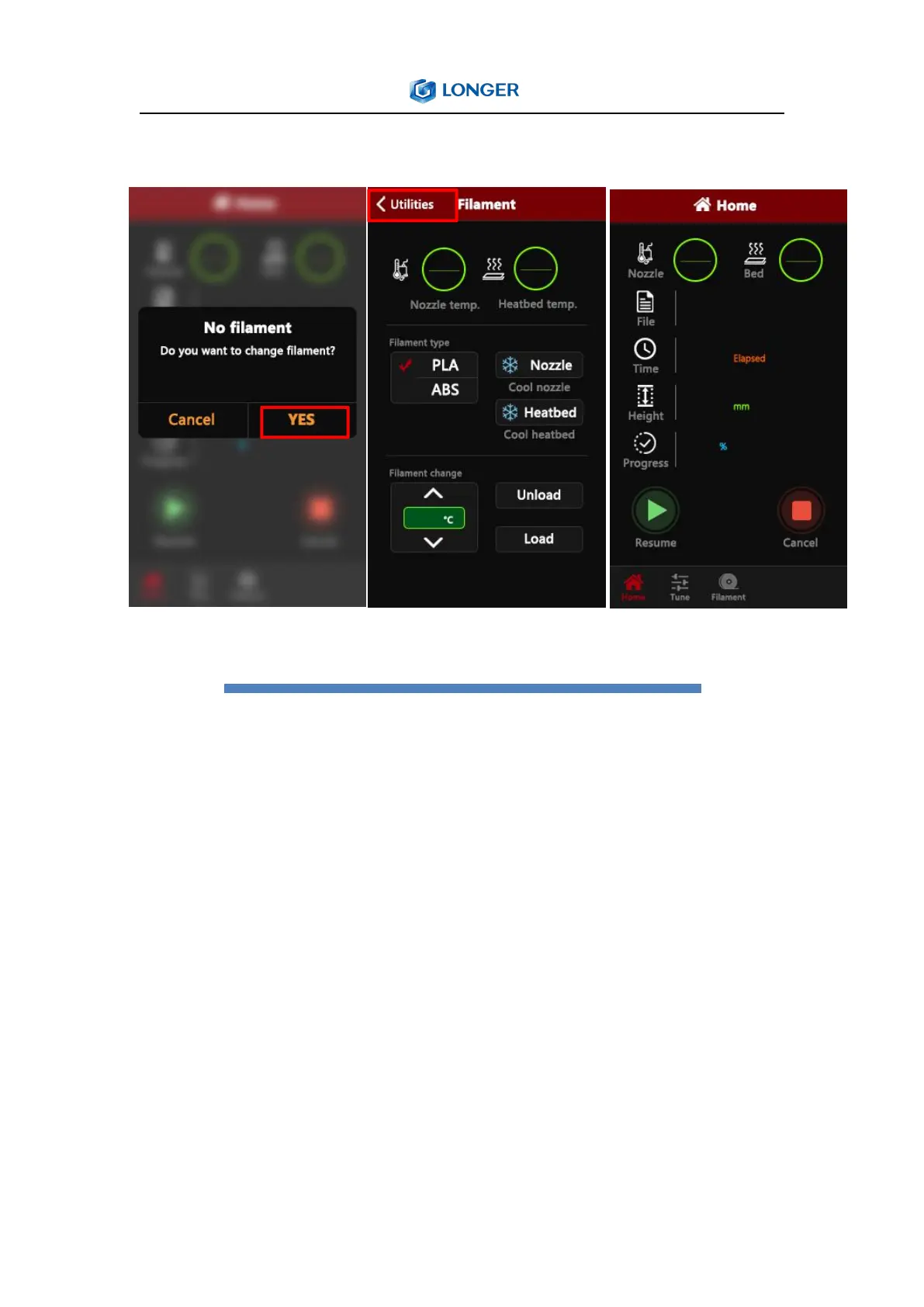
Broke
n
material
de
tection
At
th
is
point,
pull
the
T
eflon
tube
ou
t
of
the
extruder
end,
take
out
th
e
material,
refill
the
consumables
to
the
nozzle,
click
YES,
after
replacing
the
material,
click
Utilities,
an
d
f
inally
click
P
rint
to
start,
the
mo
del
will
pri
nt.
27
29
Table of Contents
Main Page
Table of Contents
2
Safety Precautions
3
Product Information
5
Model Parameter
5
Packing List
6
Nozzle Module Exploded View
7
Machine Assembly
8
B. Machine Operation
14
1)Machine Control Interface Description
14
2)Home Interface
16
3)Move Interface
16
4)Tune Interface
17
5)Utilities Interface
18
6)Print Interface
19
Software Installation
20
Model Selection
21
Software Usage Introduction
22
Detailed Software Parameters
22
Export Gcode Format for Printing
23
Instructions for Printing Online
24
Printer Connection
24
Software Settings
24
Online Printing
25
Professional Settings
26
E. Resume Printing and Filament Run-Out Detection Function
27
1)Power Failure
27
2)Broken Material Detection
28
Guide to Common Problems in Machine Use
29
Question 2:What if the Filament Does Not Discharge from the Machine
30
Question 3
31
Question 5
32
Cannot be Leveled. What Should I Do
32
Related product manuals
LONGER LK 4
2 pages
LONGER LK 4 PRO
2 pages
LONGER LK2
39 pages
LONGER LK1
25 pages
LONGER LK4
9 pages
LONGER LK4 X
38 pages
LONGER LK5Pro
9 pages
LONGER LK4 Pro
46 pages
LONGER Cube2
27 pages
LONGER Orange30
39 pages
LONGER Orange10
34 pages



 To Next Page