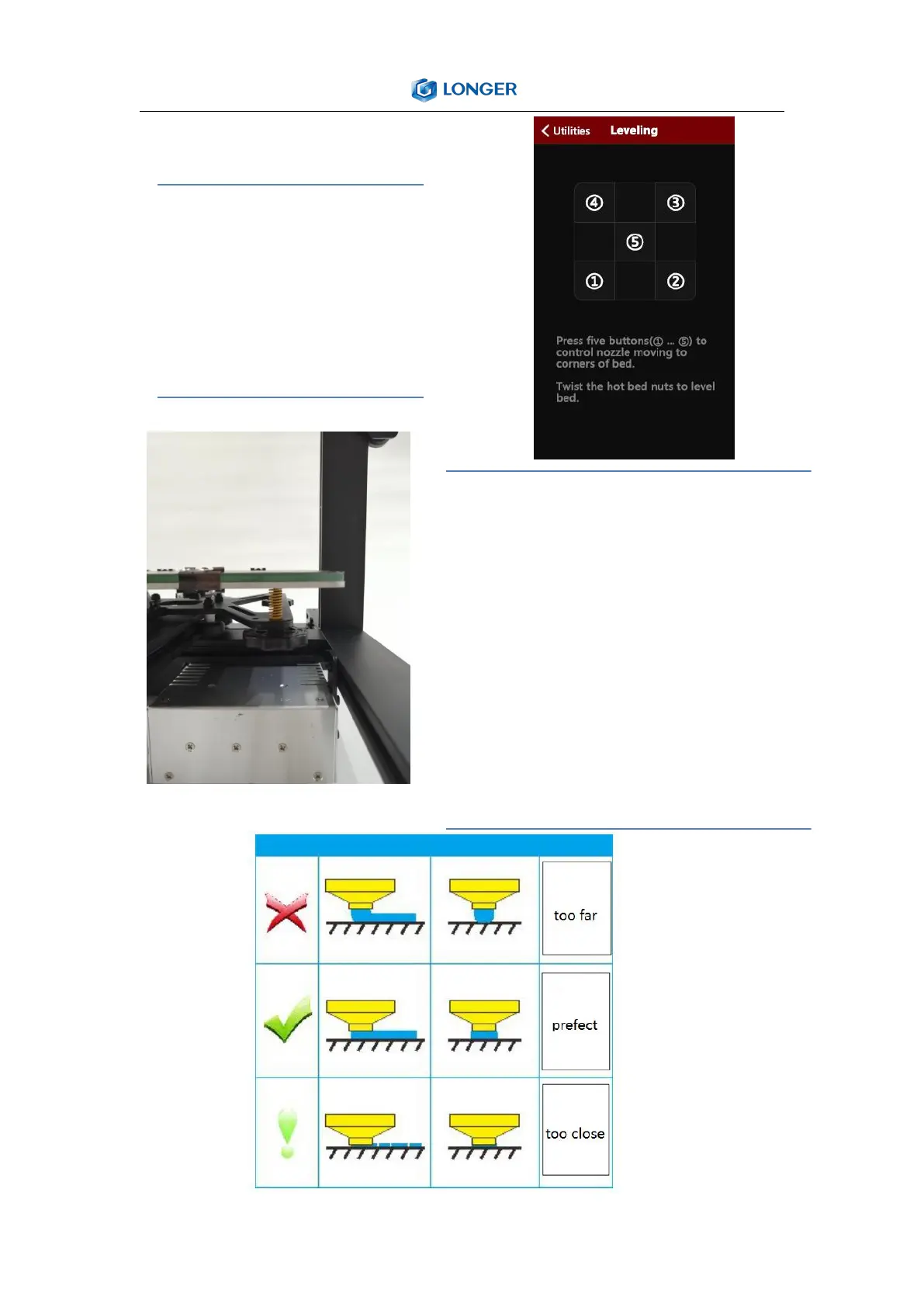
You can manually click the XY zero
and Z zero in the Movement
interface, then unlock, manually
move the hot bed and the nozzle,
and then adjust the leveling nut so
that the distance from the nozzle
to the hot bed is about one A4
paper thickness.。
Turn on the machine, click the levelling button,
click the four buttons in turn, the nozzle will
move to the corresponding position
correspondingly. After waiting to move to the
corresponding position, you can manually
adjust the hand nut to adjust the distance
between the nozzle and the hot bed to
approximately one A4. Thicken the paper,
tighten the screw [tighten counterclockwise],
and increase the distance between the heating
plate and the nozzle. Loosen the screw [screw
in the clockwise direction] and the heating plate
will be close to the nozzle. Adjust the other
three points in turn to complete the leveling.



 To Next Page