13
5.4.3.1 Adjusting the pump and fan output
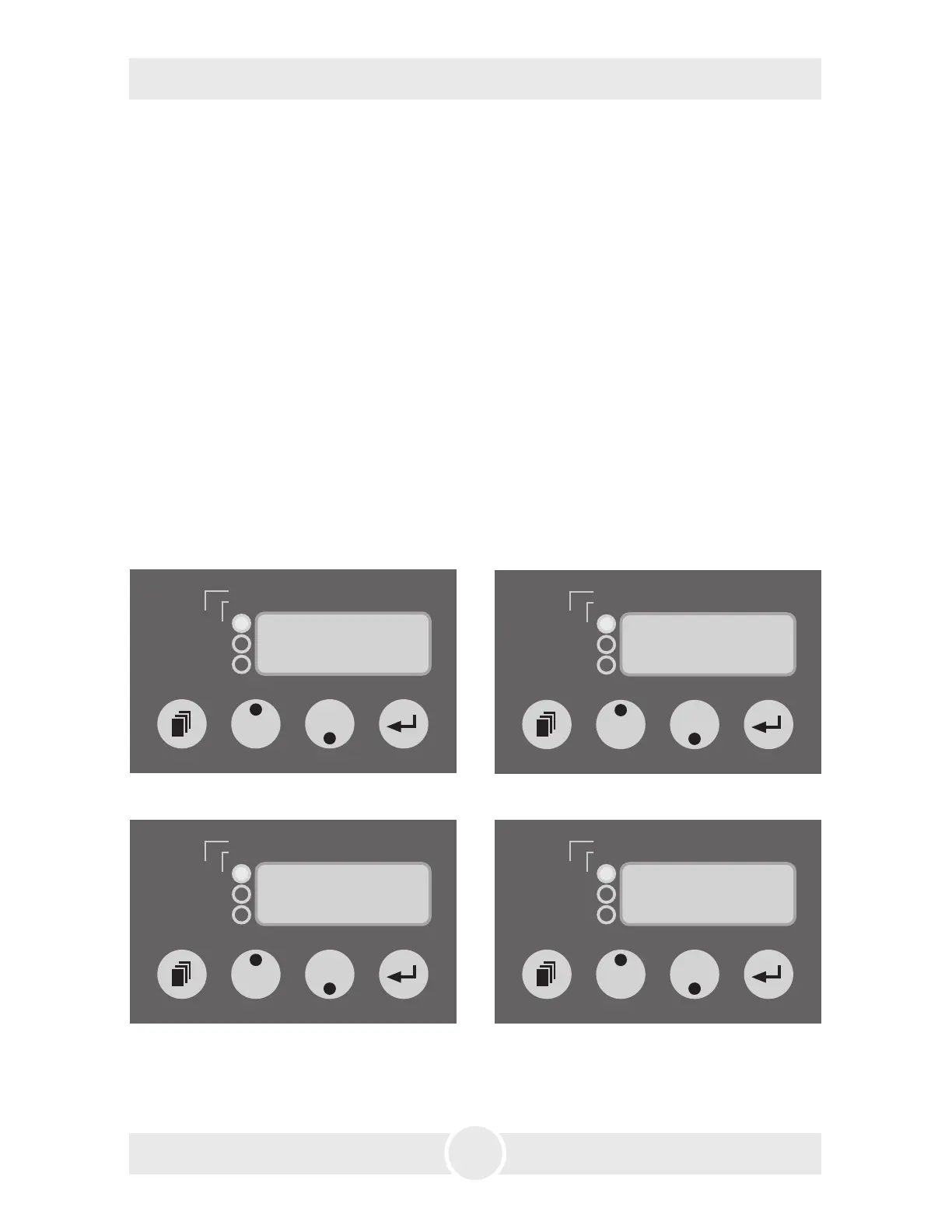
a) Press the Mode button [14] at the control panel until a P and two figures
appear on the LED display [17] (see Fig. 1).
b) Adjust the desired data (1 - 99%) by pressing the Up or Down button [15].
c) Press the Mode button [14] again until an F and two figures appear on the
display [17] (see Fig. 2).
d) With the Up or Down button [15] the fan data can now be adjusted.
e) Press the Enter button [16] once to start the machine. The green Active-LED
[18] will be lit.
5. Operating the Unique
2
5.4.3 Stand alone
The Unique
2
can be used in the Stand alone mode. In this mode all data for the
pump and the fan must be adjusted directly at the machine.
5.4.4 Haze-Density Control System (HDCS)
dmx
in
active
XXX = address · PXX = pump · FXX = fan
P. = pause
(min) · F. = fogtime (sec)
1. = pause · 2./3./4. = level a · 5./6./7. = level b
timer
profile
E S C
dmxin
active
XXX = address · PXX = pump · FXX = fan
P. = pause
(min) · F. = fogtime (sec)
1. = pause · 2./3./4. = level a · 5./6./7. = level b
timer
profile
1.0.1
dmxin
active
XXX = address · PXX = pump · FXX = fan
P. = pause
(min) · F. = fogtime (sec)
1. = pause · 2./3./4. = level a · 5./6./7. = level b
timer
profile
2.6 3
dmx
in
active
XXX = address · PXX = pump · FXX = fan
P. = pause
(min) · F. = fogtime (sec)
1. = pause · 2./3./4. = level a · 5./6./7. = level b
timer
profile
r u n
Fig. 6: Adjusting the Pause (Pre-Runtime) Fig. 7: Adjusting the pump
Fig. 8: Start the profile Fig. 9: Quit the profile


 To Next Page