3.1. Task of each PS2-PCB
Main-Board
The Main-Board can be considered as “brain” of the controller since it incorporates all the
control functions of the device. It also contains the embedded DataModule and the Bluetooth
Hardware that allows to connect to the controller with PumpScanner for setup and
troubleshooting.
LED-Board
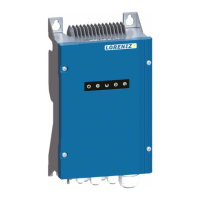
The LED-Board is showing the current status of the controller. Its LEDs are visible from the
outside. Please refer to the controller manual for further information about the different LED
indicators.
IO-Board
The IO-Board connects the sensor inputs to the Main-Board and acts as a protective barrier
between the connected external devise and the Main-Board.
Power-Board
The Power-Board is controlled by the Main-Board and conducts the solar power from the input
to the motor output. It also carries the internal power supply circuit that supplies the other
boards with power.
3.2. Efficient troubleshooting - Plan your trip ahead
This chapter shall provides some general suggestions on how to conduct an efficient and quick
troubleshooting.
The first recommendation is to simplify the installed system before starting a troubleshooting
focused on the controller. This means for example for the PS2 controller: Disconnect all the
accessories from the controller and install a jumper instead to minimize external influences on
the problem:
• 1 and 2 – Source Low
• 3 and 4 – Remote Switch
• 14 and 15 – Water Detection
Additionally, a factory reset of the controller settings with PumpScanner can help to get rid of
problems caused by wrong settings. If the controller works properly afterwards, rebuild your
configuration step-by-step to identify which setting might have caused the problem. If the
controller shows the same behavior, keep the system as simple as possible to continue the
troubleshooting.
The second recommendation is: Be prepared. Often the pump systems are installed in remote
areas. Therefore, a visit for troubleshooting can be very time-consuming. It will pay off after
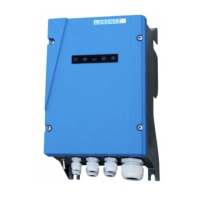
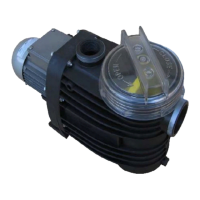
some troubleshooting “jobs” to have replacement components like a motor, controller and
spare boards available in advance to solve the problem in one go. However, replacement





 To Next Page