13
Set preferences for automatic warning light on deterrence cameras. For a complete list of compatible
cameras, visit lorex.com/compatibility.
14
Using deterrence features
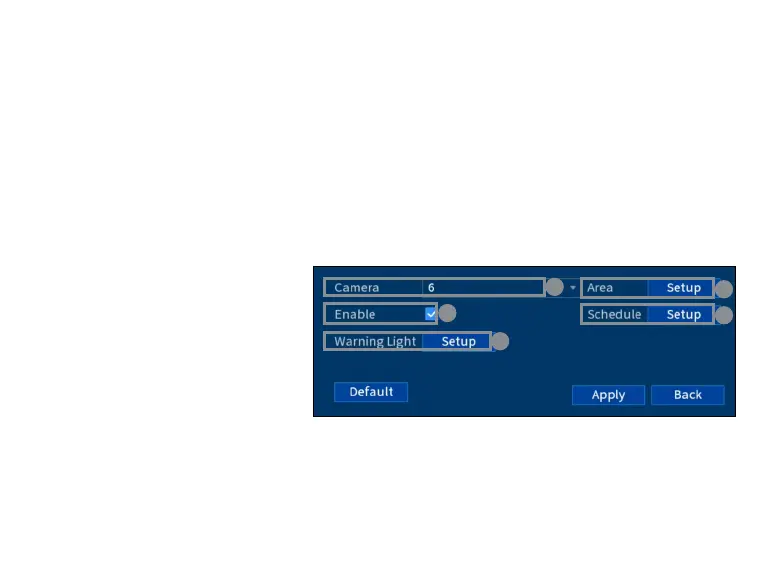
To congure deterrence settings:
1. From the camera’s live view, right-click and then click Main Menu.
2. Enter the system user name (default: admin) and password.
3. Click EVENTS > Event Settings > Deterrence.
4. Congure the following:
a. Select a connected deterrence
camera.
b. Check Enable.
c. Click Setup > Area to set an
active area for automatic
deterrence.
d. Click Set > Schedule to set the
weekly schedule for automatic
deterrence.
e. Click Setup > Warning Light
to congure preferences (see
next page).
a
b
c
d
e




 To Next Page