EasyManua.ls Logo

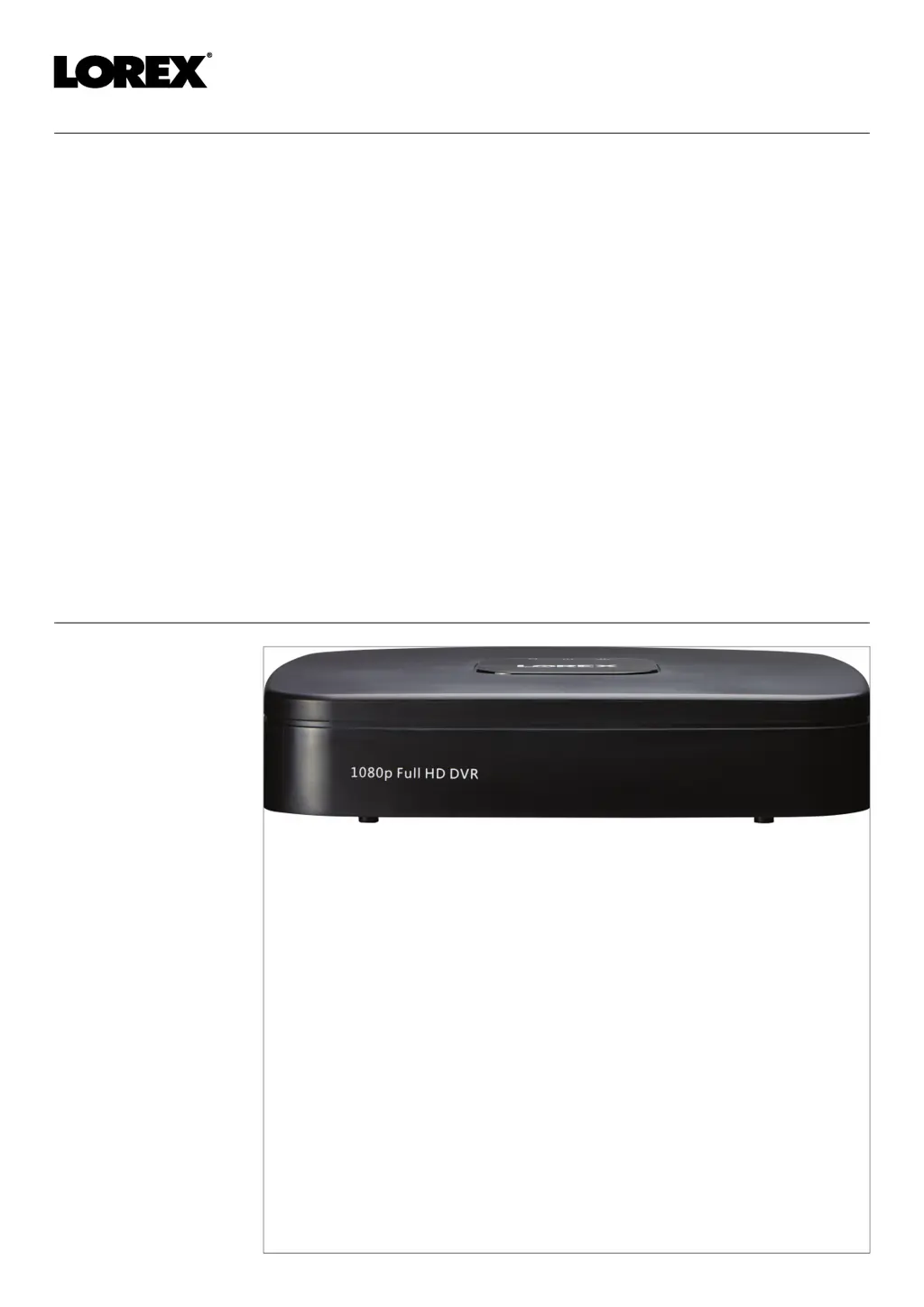
Lorex D231A41B - User Manual

Lorex D231A41B
104 pages
Print Icon
To Next Page IconTo Next Page
Loading...
User Manual

Table of Contents

Questions and Answers

  • B
    Briana SheppardAug 15, 2025
    How to fix a Lorex D231A41B DVR that is not powering up?
    • K
      Kimberly AdkinsAug 15, 2025
      If your Lorex DVR isn't powering up, there are a couple of things to check: * Make sure the cable from the power adapter is securely connected to the back of the unit and to the power outlet. * If connected to a power bar or surge protector, try plugging it directly into the wall outlet. * Confirm the system is powered on (LED indicators should be ON). * Test the outlet with another device or try a different outlet.
  • B
    bbrownAug 18, 2025
    What to do if there is no picture on my Lorex D231A41B DVR monitor?
    • A
      April OrozcoAug 18, 2025
      If you're not getting a picture on your monitor/TV after connecting it to the Lorex DVR, here's what you can do: * Power off the monitor/TV and the recorder. Then, power on the monitor/TV first, followed by the recorder. * Make sure the monitor/TV is set to the correct input channel that the recorder is connected to. * Check the video cable connection to both the recorder and the monitor/TV to ensure it is secure. * Verify that the camera is compatible with the recorder.
  • M
    mcguirekaylaAug 22, 2025
    Why is my Lorex D231A41B hard drive not detected?
    • R
      Rebecca SnyderAug 22, 2025
      If your Lorex DVR isn't detecting the hard drive, the issue might be with the connections or the presence of the hard drive itself. Here's how to troubleshoot: * First, remove the housing and check that the hard drive cables are firmly connected. * If there is no hard drive installed, open the housing and install a compatible hard drive. Remember to format the drive after installation.
  • J
    julia78Aug 25, 2025
    Why is smart home/voice assistance not working on my Lorex DVR?
    • S
      Sherry HuntAug 26, 2025
      If smart home/voice assistance is not working on your Lorex DVR, ensure you have enabled voice assistance on the recorder. If the issue persists, visit lorex.com/SmartHome for complete setup instructions, FAQS, and a list of available voice commands.
  • J
    James MartinezAug 28, 2025
    How to stop my Lorex D231A41B DVR from beeping during motion detection?
    • I
      Ian SmithAug 28, 2025
      The system beeps during motion detection because motion detection is enabled and the buzzer is activated. You will need to uncheck the Buzzer option to prevent the recorder from beeping every time motion is detected.
  • J
    Jon VaughnAug 31, 2025
    Why am I not receiving email notifications from my Lorex DVR?
    • R
      Richard YoungSep 1, 2025
      If you are not receiving email notifications from your Lorex DVR, there are a couple of possible reasons: * First, ensure that email notification is enabled in the settings. * If email notification is enabled, but you haven't entered your own SMTP information, you'll need to enter your SMTP server address, SMTP port, username, and password in the appropriate fields.
  • D
    Dylan FreemanSep 4, 2025
    What to do if the mouse is not detected by my Lorex D231A41B DVR system?
    • T
      Tara AdamsSep 4, 2025
      If your Lorex DVR system isn't detecting the mouse, try these steps: * Ensure the mouse cable is firmly connected to one of the USB ports. * If that doesn't work, power off the system (disconnect the power cable), firmly connect the USB mouse to a USB port, and then reconnect the power cable.
  • A
    Ashley SmithSep 7, 2025
    How to fix no picture on certain channels of my Lorex DVR?
    • A
      Angela HoodSep 7, 2025
      If there is no picture on selected channels or a camera picture is not being displayed on your Lorex DVR, the issue is likely with the camera connections. Check the camera video cable and connections. Disconnect and reconnect the cable at both the system and the camera. You can also try moving the camera to another channel or using a different cable.
  • C
    cannonrebeccaSep 12, 2025
    Why is there no sound on my Lorex D231A41B recorder?
    • K
      kelsey92Sep 12, 2025
      The recorder supports audio recording, but requires audio-enabled cameras with a built-in microphone, or an external microphone to be connected. If your cameras do not feature a microphone for audio recording, that could be the reason you are not getting any sound.

Lorex D231A41B Specifications

General IconGeneral
Video Input Channels4
Video OutputHDMI, VGA
Recording Resolution1080p
Hard Drive1TB
Compression FormatH.264
Network InterfaceEthernet
Power Supply12V DC
Remote ViewingYes
Motion DetectionYes
Operating Temperature-10°C to 55°C

Related product manuals