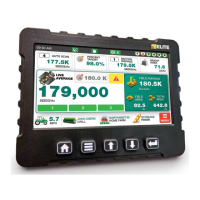
LOUP ELITE DRILL/PLANTER MONITOR
•
OPERATION MANUAL
10
2. As you drive the 400 distance, pulses for both Wheel Pulses
and/or Radar Pulses will begin accumulating on-screen.
3. When you’ve reached the end of the 400 distance, select
“Exit & Save” to complete the calibration procedure.
Depending on which “Speed Source” is selected, the
monitor will store this value into either the “Wheel Pulses
Per 400” or “Radar Pulses Per 400” area.
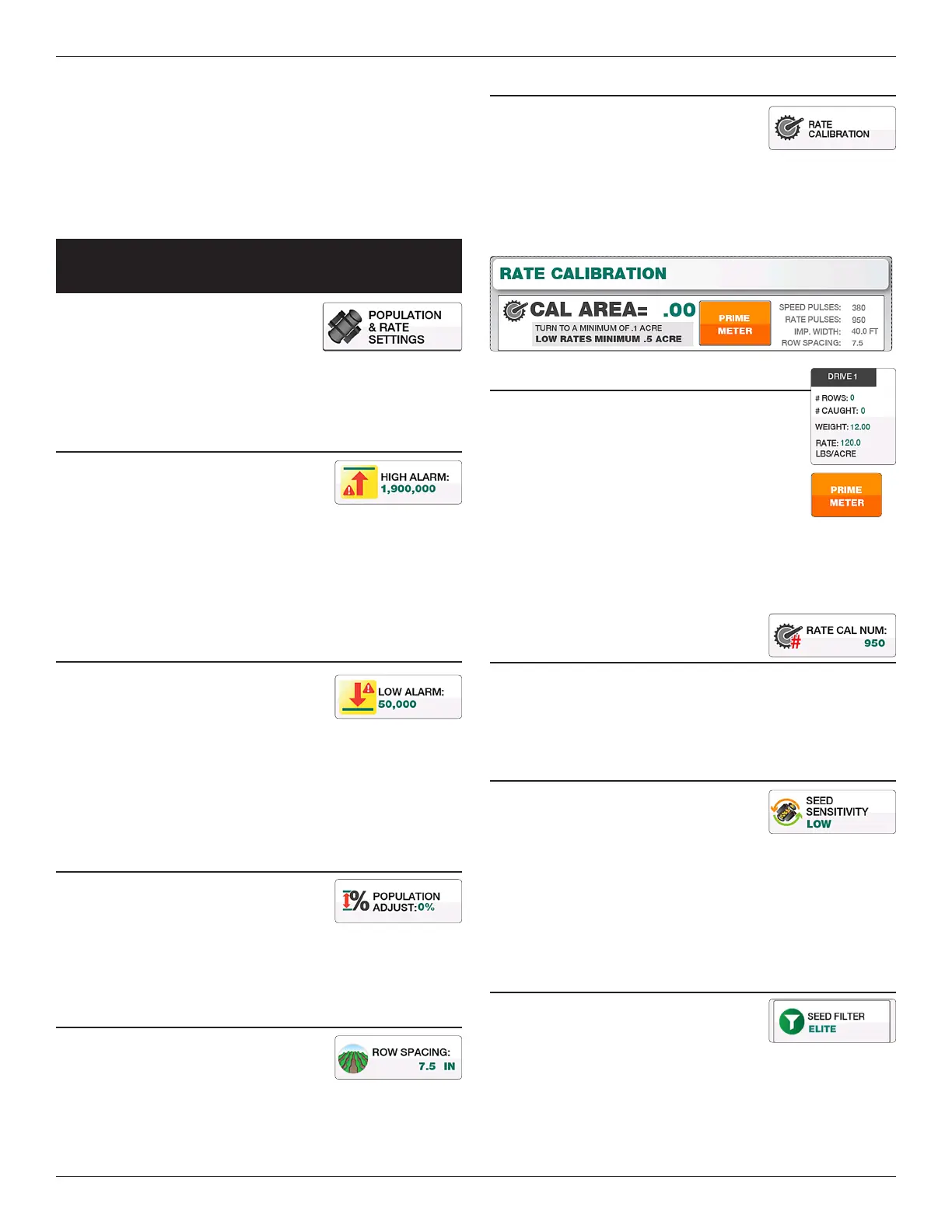
populaTion and
raTe SeTTingS
Located by selecting “Menu” and
“Population & Rate Settings”, this screen
is used to setup High & Low Population
Alarms, Row Spacing, Population adjustments and sensor
sensitivity settings.
HIgH ALARM
e High Alarm point is set as a reference
point for the population alarm. If the seed
population goes above this designated point,
an alarm will sound.
Range = 0 to 9,999,999 (Must be at least 1 point above the Low
Alarm)
Default = 500,000 Seeds per Acre
LOW ALARM
e Low Alarm point is set as a reference
point for the population alarm. If the
population drops below this designated
point, an alarm will sound.
Range = 0 to 9,999,999 (Must be at least 1 point below the High
Alarm)
Default = 50,000 Seeds per Acre
POPuLATION ADjusT
e Population Adjust setting will inuence
your population by a set percentage.
Typically used when planting small grains
such as wheat. Contact Loup Electronics for further assistance
with the Population Adjustment.
ROW sPAcINg
Denes the row spacing of your implement.
To change select the “Row Spacing” button
and enter the desired row spacing number.
RATE cALIBRATION
e Rate Calibration sensor is an optional
add-on used to help initially calibrate
your drill. is is an external kit that can
be moved from section to section to calibrate all sections. You
must have the correct rate calibration number given to you by
Loup Electronics. ere are 4 unique Drive numbers to calculate
dierent rates as you see t.
RATE cAL PROcEDuRE:
1. Enter the number of rows being caught.
2. Press the “Prime Meter” button and begin
turning the main drive wheel until this
indicator changes to “Start Cal”.
3. Turn the main drive wheel over 10
times, weigh the material and enter the weight into the
coresponding drive number.
4. If the rate is not correct, make an adjustment and run the
calibration again.
RATE cAL NuMBER
If using Rate Calibration Sensors, use this number to adjust the
calibration factor for these sensors. A PIN number (7131) is
required in order to change this number.
sEED sENsITIVITy
e Seed Sensativity setting aects the
smoothing rate at which the monitor
displays seed rate. e type of implement
you are using aects the type of sensitivity you should be using.
For drills and air seeders its recommended to use either settings
“Low” or “Med Low”. For planters its recommended to use either
“Med High” or “High”. Once changed, select “Exit & Save” for
the change to take eect.
sEED fILTER
e Seed Filter is defaulted to “Elite” but
can also be set to Legacy mode or O. Its
recommended this stay on “Elite” unless
otherwise specied by Loup Electronics.


 To Next Page