LOUP ELECTRONICS
•
1-877-489-5687
•
WWW.LOUPELECTRONICS.COM
15
LEARNINg LIQuID fLOW sENsORs
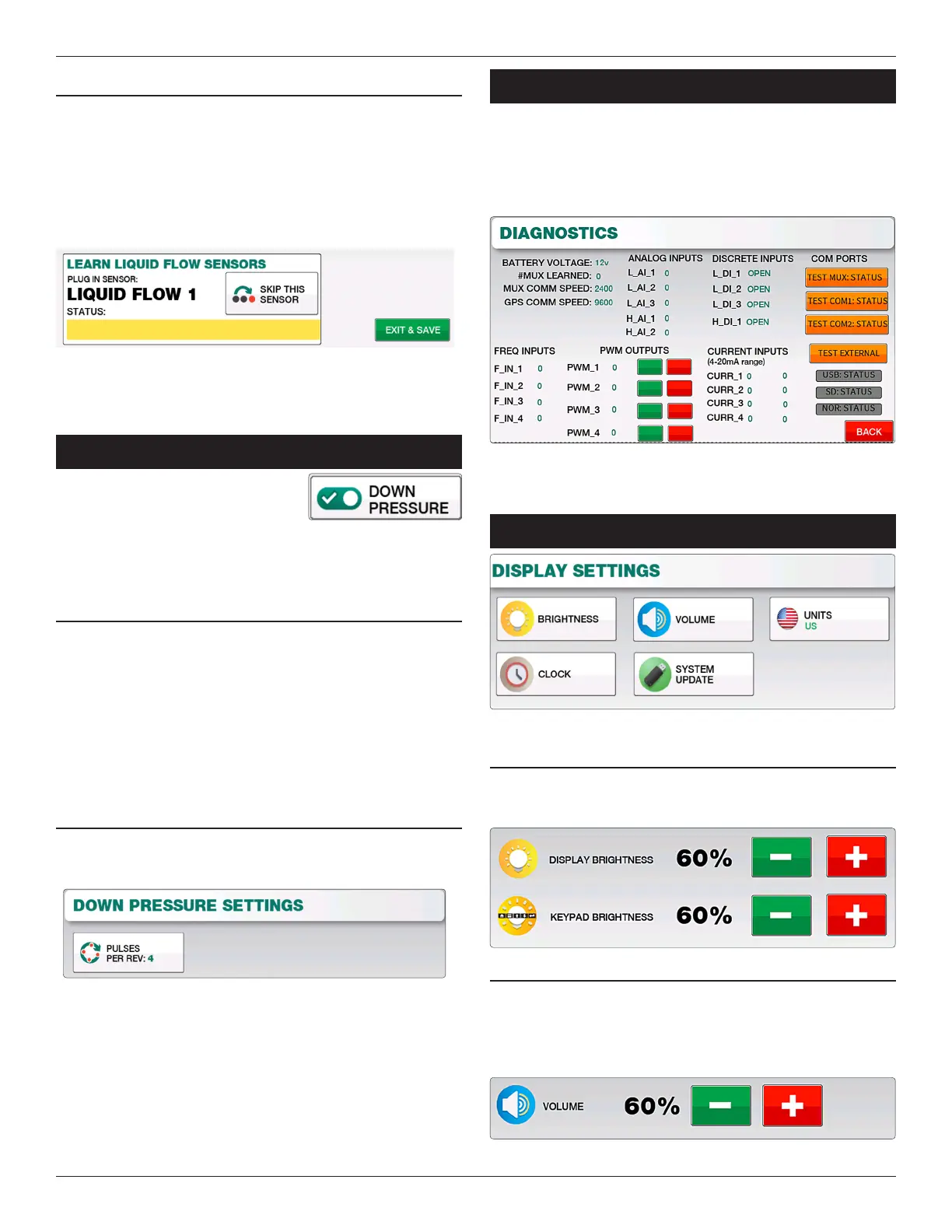
If you need to add Liquid Flow Sensors to the Elite console, you
may do so on this page using the “Learn Liquid Flow Sensors”
window. Simply plug in the rst Liquid Flow Sensor and the Elite
console will detect that sensor and increment to Liquid Flow 2,
3, and so on. Selecting “Re-Learn All Flow Sensors” will remove
all Liquid Flow sensors from Elite’s memory.
Alternatively you may also Add or Remove Liquid Flow sensors
through the “Install/Setup” menu and selecting “Add a Sensor”
or “Remove a Sensor”.
doWn preSSure
If using a Down Pressure sensor, you
rst need to enable this feature inside
“Implement Setup” by turning “Down
Pressure” ON. Once enabled you can access the Down Pressure
selectable display on the main screen.
LEARNINg DOWN PREssuRE sENsOR
e Down Pressure Sensor can be Learned by selecting “Menu”
- “Install/Setup” - “Add a Sensor” and select “Down Pressure
Sensor”. On the Add a Sensor page, plug in the Down Pressure
Sensor and select the “Add Sensor” button to complete the
install.
Alternatively you can also Remove the Down Pressure Sensor
through this menu.
DOWN PREssuRE PuLsEs PER REV
Pulses per Rev can be changed within the Down Pressure
Settings page by selecting “Menu” - “Down Pressure Settings”
diagnoSTicS
e Diagnostics screen can help in identifying issues with
sensors, harnessing or other items. Status reports for Battery
Voltage, Sensors Learned, MUX Communication speed and GPS
Communication speed are displayed. Contact Loup Electronics if
you need technical support.
diSplay SeTTingS
BRIgHTNEss
Use the Plus or Minus keys to increase or decrease the brightness
of the screen or the keypad backlight.
VOLuME
Use the Plus or Minus keys to increase or decrease the volume to
the desired level. An audible alarm will sound with each
increment.


 To Next Page