1.3.
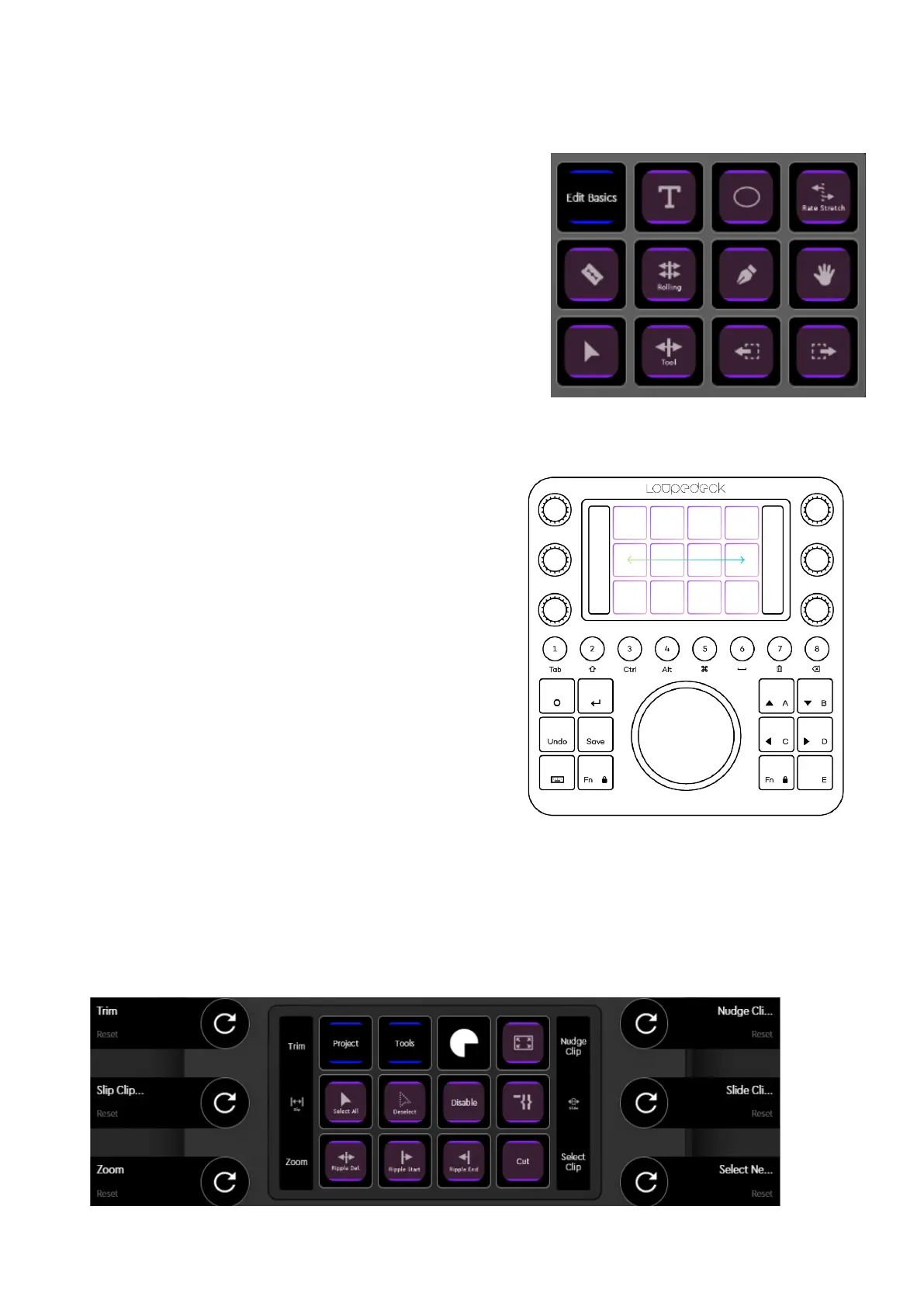
TOOLS PAGE - TOUCH PAGE
Here you can access quickly all TOOLS so that you
can either reduce your mouse usage or keep your
hands on the device.
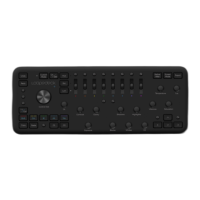
Tip!:
Yo u ca n al so a ccess t he to u ch pa ges th at are
linked under “Project” and "Tools" with a horizontal
swipe on the touch display instead of clicking the
page link button. If you need more space for your
favorite actions on the first page, remove the page
links and free two buttons that way.
SLIP & SLIDE, NUDGE DIALS
We have implemented rotate functions for
CT dials that replace selecting a tool and
dragging with mouse. For example, to Slip or
Slide your material, simply select desired
clips and start rotating the Slip or Slide dial.
It gives you a very precise feel of moving
clips, as one tick corresponds to one frame.
Same applies to Nudge clips (move
horizontally) in timeline.
TRIM DIAL
The Trim dial works so that pressing the dial will go to the closest edit point. Second push
will toggle In / Out Trim direction. Rotating will trim the edit point.


 To Next Page