102
New Trail
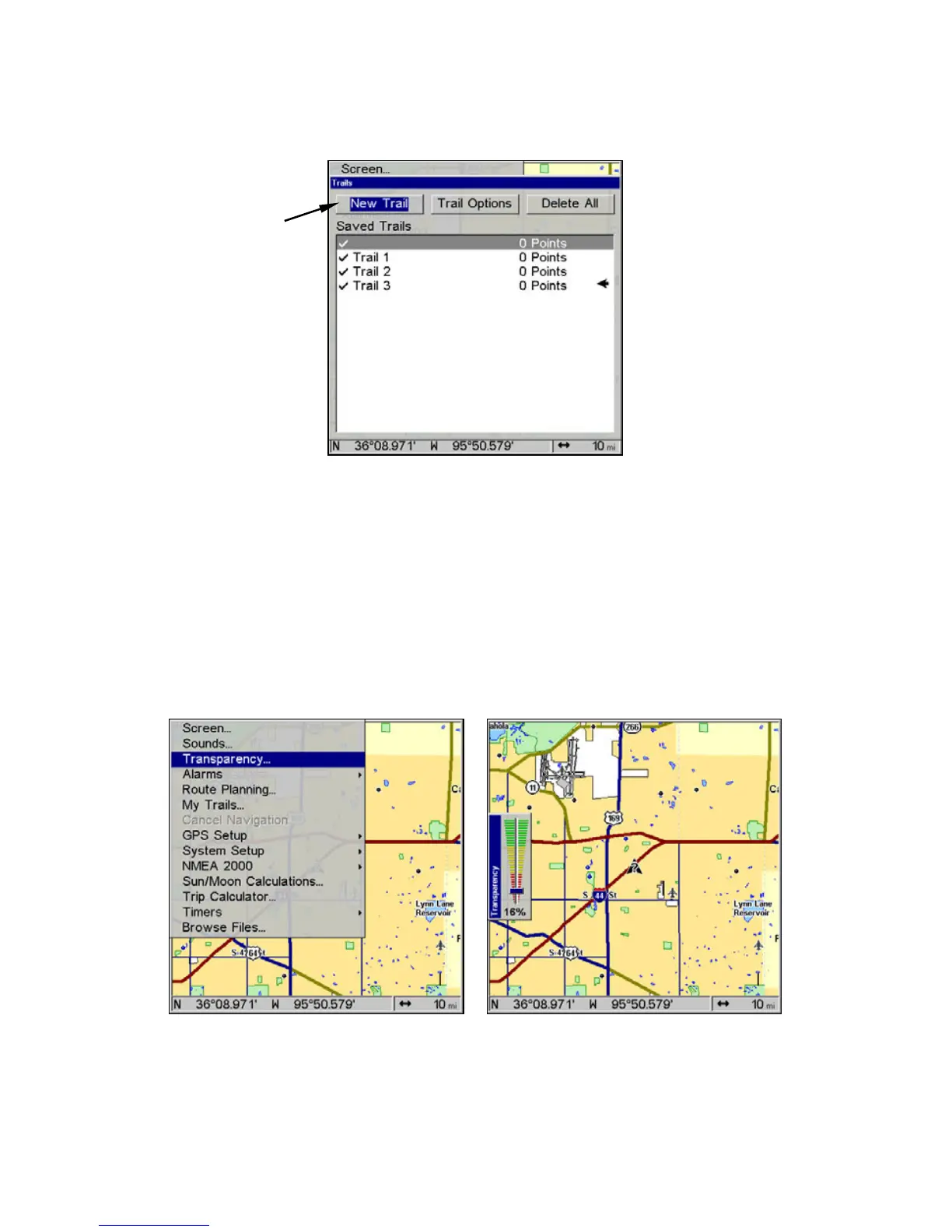
To manually start a new trail, in the Trails Menu, make sure
NEW TRAIL
is highlighted and press
ENT.
New Trail command.
Transparency
Use the transparency menu to adjust the transparency of menu win-
dows. A high transparency allows you to continue monitoring the
screen's display while adjusting feature settings, though the text of the
menus may fade until it is unreadable. A low transparency will usually
make menu text easier to read, at the cost of watching your display.
Experiment with this feature until you find the right level of transpar-
ency for your eyes.
Main Menu, left, and the Transparency slider, at right.
New Trail
command
highlighted.


 To Next Page
 Loading...