83
Map Datum Menu.
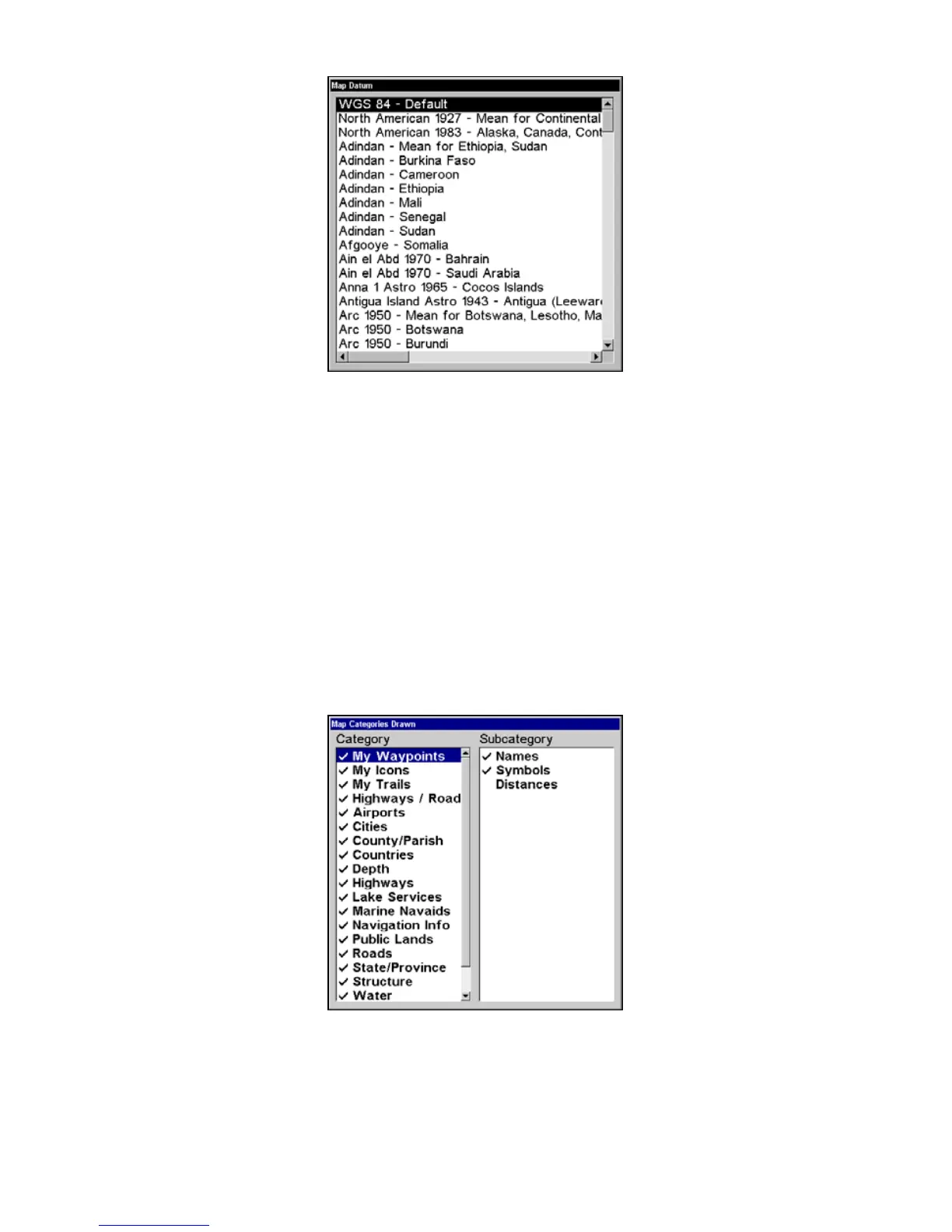
Map Detail Category Selection
This menu determines which of the mapping features are shown on the
screen. This includes, waypoints, trails, icons, cities, highways, etc. You
can selectively turn on or off any of these items, customizing the map to
your needs.
To get to Map Categories:
1. From the Map Page, press
MENU|↓ to MAP CATEGORIES DRAWN|ENT.
2. Press
↑ or ↓ to select a category or press → then press ↑ or ↓ to select
a subcategory. Press
ENT to turn it off (no check) or on (checked.)
3. To return to the last page displayed, press
EXIT|EXIT.
The Map Categories Drawn menu.


 To Next Page
 Loading...