111
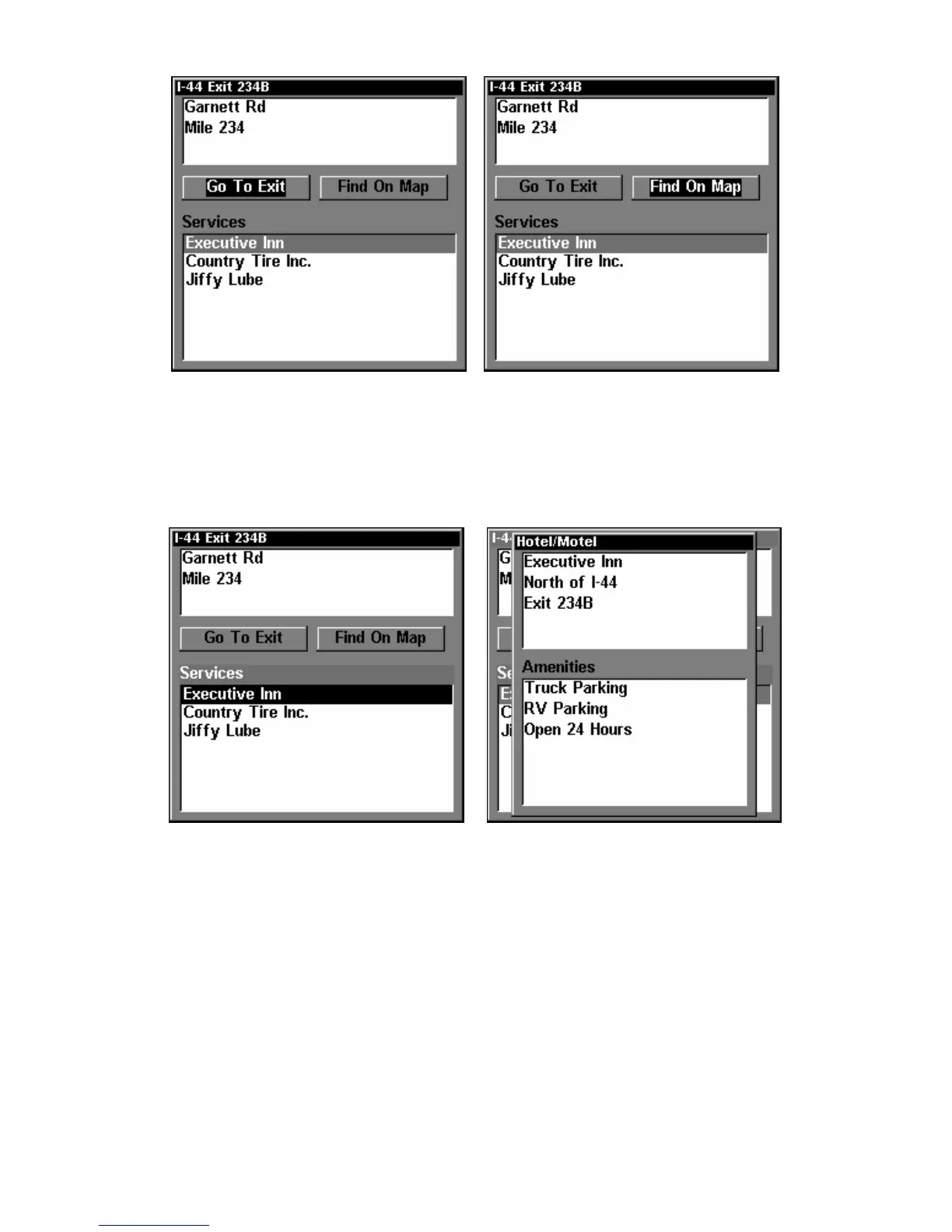
"Go To Exit" option, left, "Find On Map" option, right.
Tip:
You can also look up some additional information on the Exit Ser-
vices located near this exit. Press ↓ to
SERVICES|press ↓ or ↑ to se-
lect Service Name|
ENT.
Exit Information screen, left; general location
and amenities information, at right.
Find Map Places or Points of Interest (POI)
1. Press WPT, press ↓ or ↑ to select a map place or POI category, then
press
ENT. (To narrow your search, press → then press ↓ or ↑ to select a
subcategory before pressing
ENT.) You will be given two options; Search
By Name or By Nearest.


 To Next Page
 Loading...