3 -5
Turn signal light switch
Right
Left
Multi functional Light switch
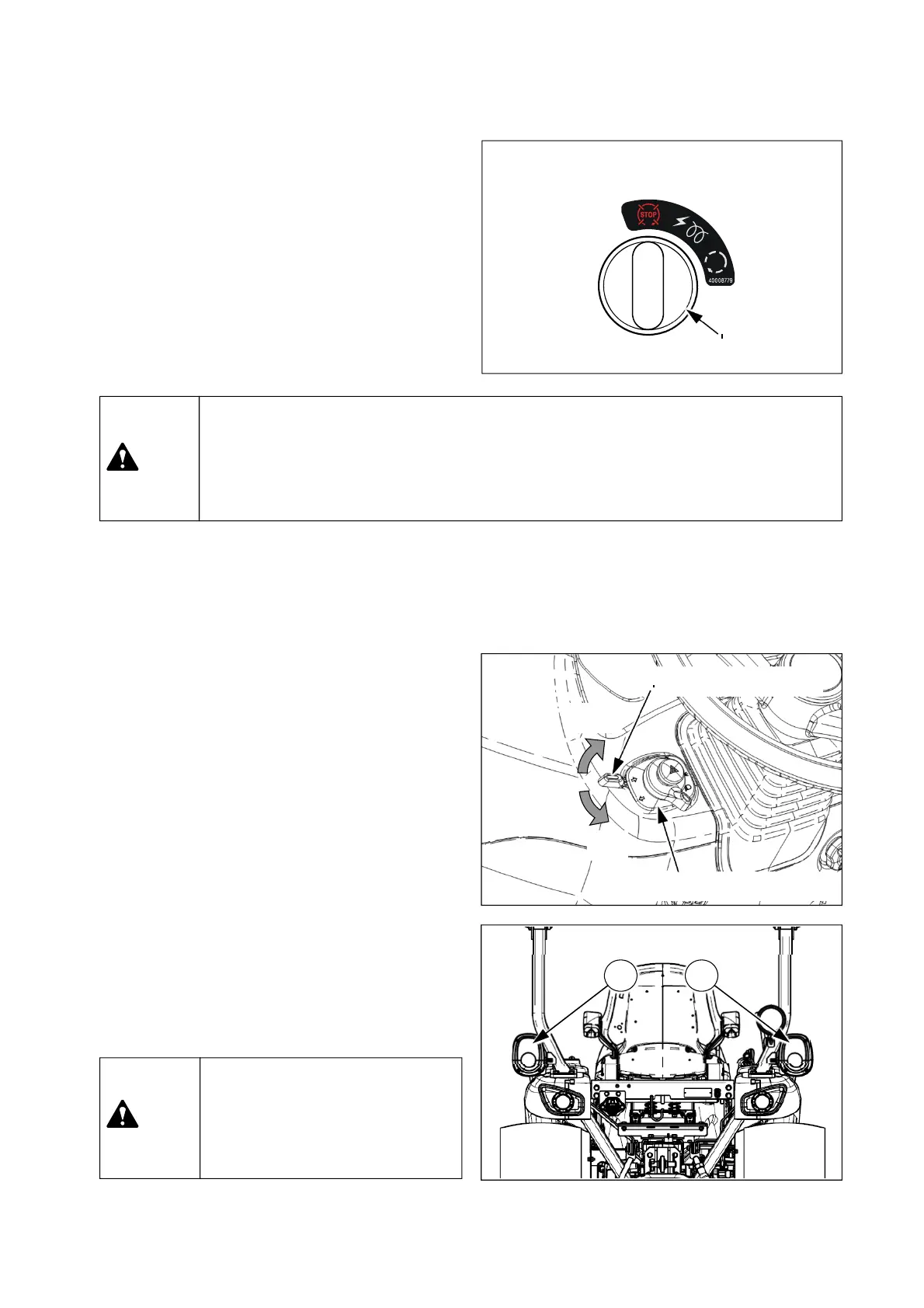
(2) Key switch
“OFF” – Engine stops, Power off
“ON/Preheat” – Power on & Automatic preheat
“Start” – Engine start up
As soon as the engine starts, turn the ignition
key to “ON” position immediately. If not, it may
cause damage to the starter motor.
Key switch
OFF
ON/Preheat
Start
▶ Because a safety switch for start-up has to be engaged, put PTO switch to “OFF”
position and depress clutch pedal(If fitted) fully and then turn the key switch to
“Start” position. See chapter 4-2-(1), “Engine Start” in this manual.
▶ If the tractor is not in use, the ignition key should be removed.
Caution
▶ When driving on the road,
operate the turn signal lights to
inform other vehicles before
changing your direction.
Caution
(3) Multi-functional light switch
① Turn signal light switch
This switch is used to give information to other
vehicles when turning to the left or right.
When the key switch is placed “ON” position,
- If turning the switch clockwise, the right turn
signal light③ will blink.
- If turning the switch counter-clockwise, the left
turn signal light② will blink.
If the hazard warning lights are operated at the
same time when the turn signal is activated, the
hazard warning light for the opposite side of
turning direction will stop flashing and illuminate
continuously.
2 3











 To Next Page