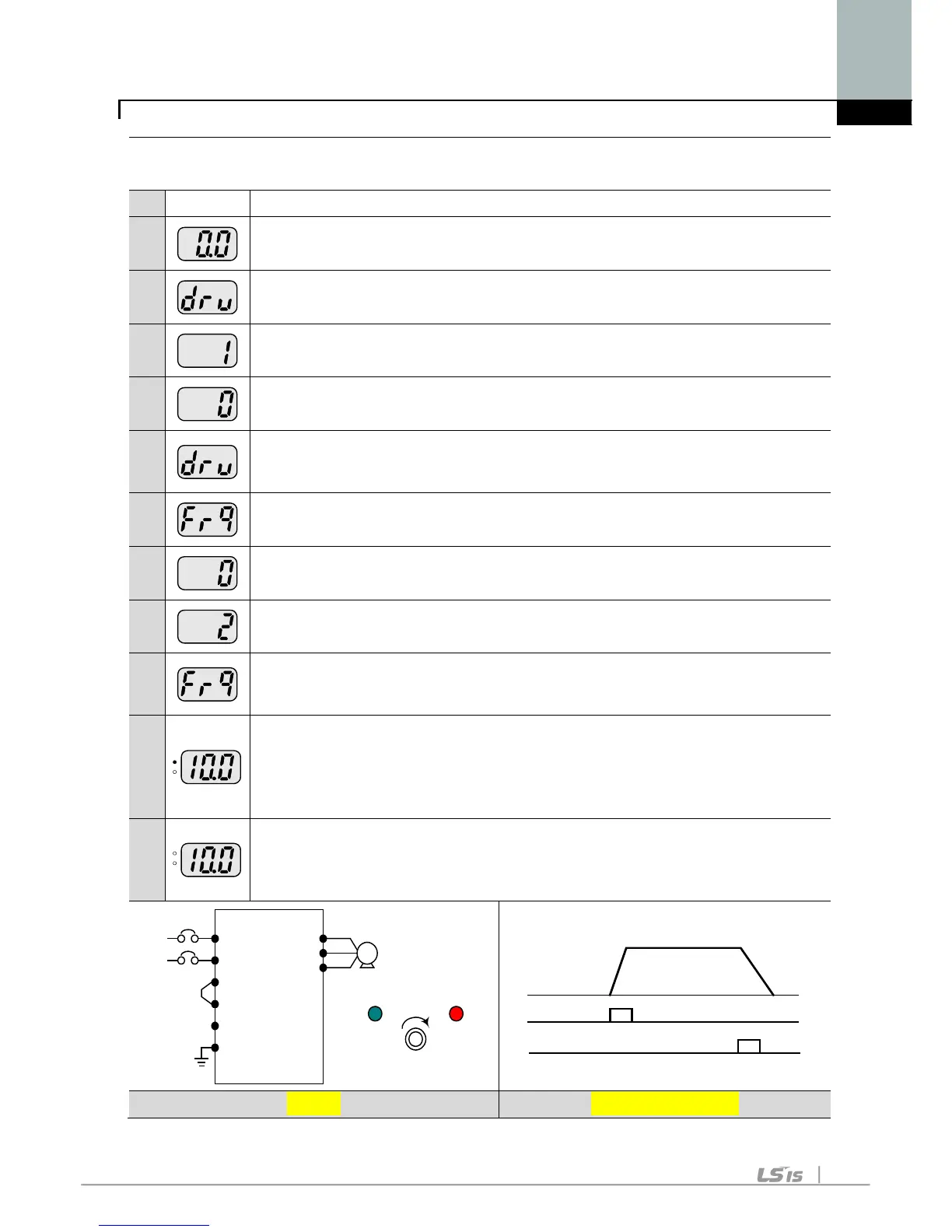
Frequency setting via potentiometer and operating via the Run key
1
-. Apply AC input power to the inverter.
2
-. When 0.0 is displayed, press the Up () key three times.
3
-. drv is displayed. Operating method is selectable.
-. Press the Prog / Ent () key.
4
-. Check the present operating method (“1” is run via control terminal)
-. Press the Prog / Ent () key and then Down () key once.
5
-. After setting “0”, press the Prog / Ent () key.
6
-. “drv” is displayed after “0” is blinking. Operation method is set via the
7
-. Different frequency setting method is selectable in this code.
-. Press the Prog / Ent () key.
8
-. Check the present frequency setting method (“0” is run via keypad).
-. Press the Up () key twice.
9
-. After checking “2” (frequency setting via potentiometer), press the Prog
/ Ent () key.
10
-. “Frq” is displayed after “2” is blinking. Frequency setting is set via the
potentiometer on the keypad.
-. Turn the potentiometer to set to 10.0 Hz in either Max or Min direction.
-. Press the Run key on the keypad.
-. FWD lamp begins to blink and accelerating frequency is displayed on
the LED.
-. When run frequency 10Hz is reached, 10.0 is displayed as shown left.
-. Press the STOP/RST key.
-. FWD lamp begins to blink and decelerating frequency is displayed on
the LED.
-. When run frequency is reached to 0Hz, FWD lamp is turned off and
10.0 is displayed as shown left.
220VAC
L1(R)
L2(S)
P
P1
N
G
U
V
W
Motor
MIN MAX
RUN STOP/RST
Freq.
Run key
10 Hz
STOP/RST key



 To Next Page