Error Messages
User Interface Guide
- 35 -
Error Messages
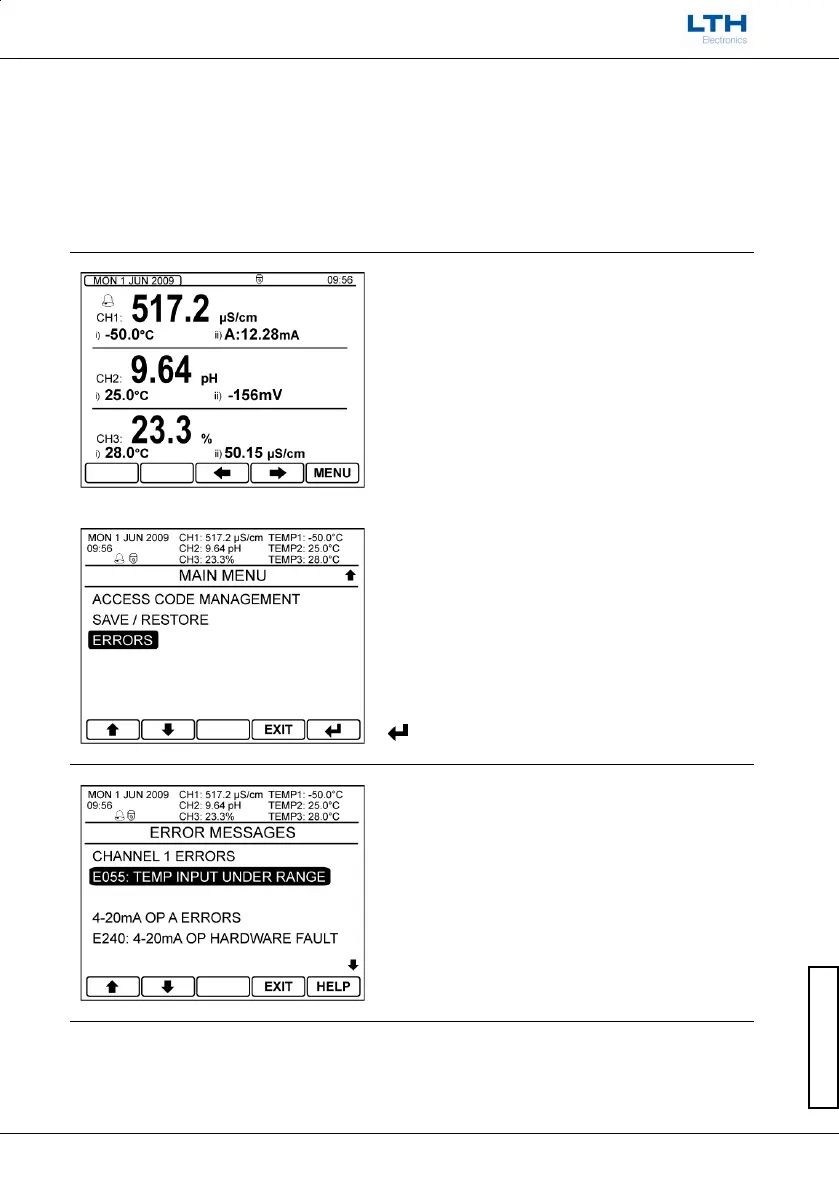
If the internal diagnostics have detected an error condition then the error LEDs will illuminate. This is
accompanied by an alarm bell either next to the associated channel or in the unit status area. By
pressing the left arrow on the front screen or by selecting the errors option in the main menu, the list
of currently active errors can be seen. By selecting an error and pressing the help button a more
detailed description of the error is shown along with suggested solutions to the possible causes of the
error.
Error Menu Access
The error menu can be accessed by either pressing
the scroll left button whilst on the front screen.
– Scroll Left (To Error Menu)
Or by selecting the Errors option from the main
menu.
Error Messages
For more information regarding each error message
select the required message and press the help
button.



 To Next Page