EasyManua.ls Logo

LTH Electronics MXD73 - Configuration; Main Menu; Time; Date

LTH Electronics MXD73
631 pages
Print Icon
To Next Page IconTo Next Page
To Previous Page IconTo Previous Page
Loading...
Configuration
User Interface Guide
- 13 -
Configuration
Configuration
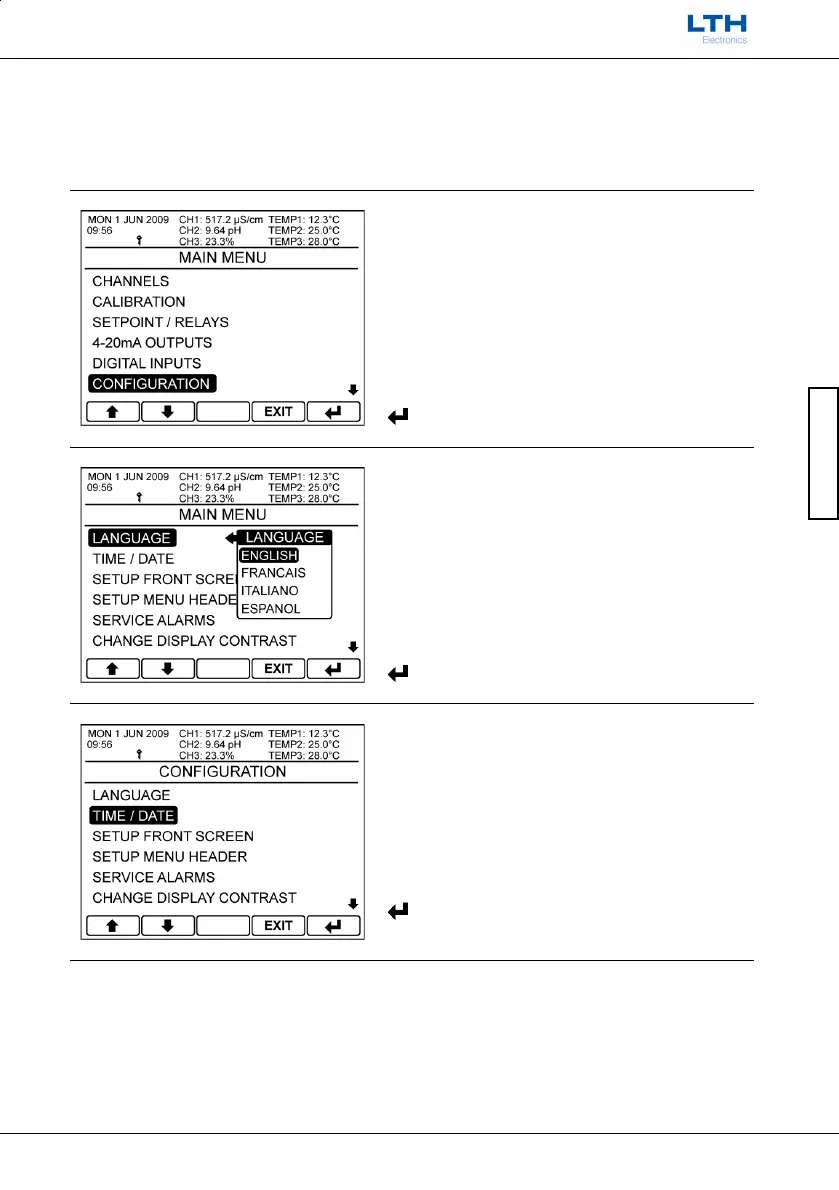
The configuration menu enables the user to configure the basic operating parameters of the
instrument.
Main Menu
From the front screen press the menu button to
show the main menu options and select
Configuration.
/
Select Option
EXIT
Return to Front Screen
Enter Option
Language
The MXD70 Series has the ability to support
multilingual menus. The language of choice can be
selected from this menu.
/
Select Option
EXIT
Cancel
Save Selection
Time / Date
Configure the internal battery backed clock.
/
Select Option
EXIT
Return to Main Menu
Enter Option

Table of Contents

Other manuals for LTH Electronics MXD73

Related product manuals