Optional Software Functions
User Interface Guide
- 21 -
Optional Software Functions
The MXD70 series features optional software functions which when purchased will expand the
instrument’s capabilities. These functions by default are locked. They can be unlocked by LTH or your
local distributor at the time of order. Alternatively the functions may be ordered after purchase by
supplying LTH or your local distributor the serial number of your instrument along with the purchase
order. In return they will supply you with an 8 digit unlock code that is unique to the instrument and
the required function to be unlocked.
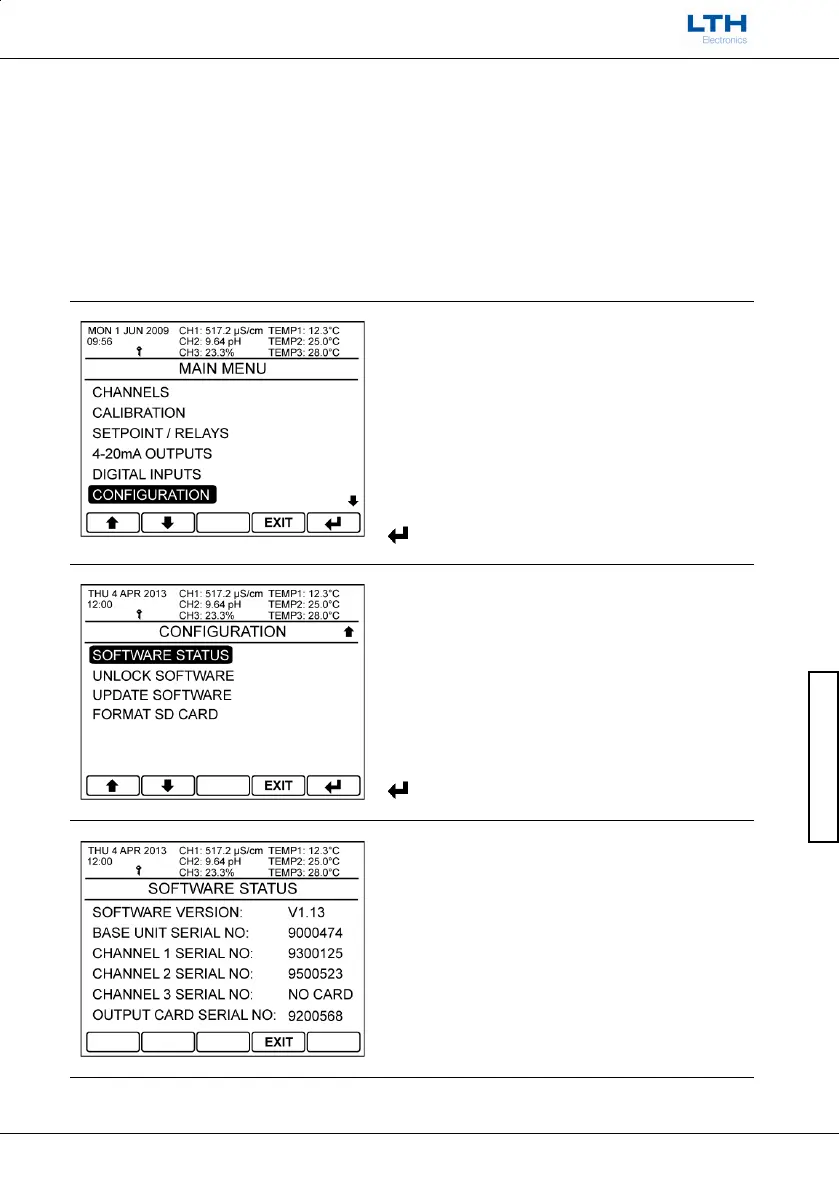
Unlocking Optional Software Functions
Main Menu
From the front screen press the menu button to
show the main menu options and select
Configuration.
Software Status
Select Software Status.
Software Status
Record the base unit serial number and supply it to
LTH or your local distributor along with your
purchase order.
– Return to Configuration Menu



 To Next Page