Channel Setup
- 12 -
MXD70 Suspended Solids / Turbidity
Setup and Operating Guide
Channel Setup
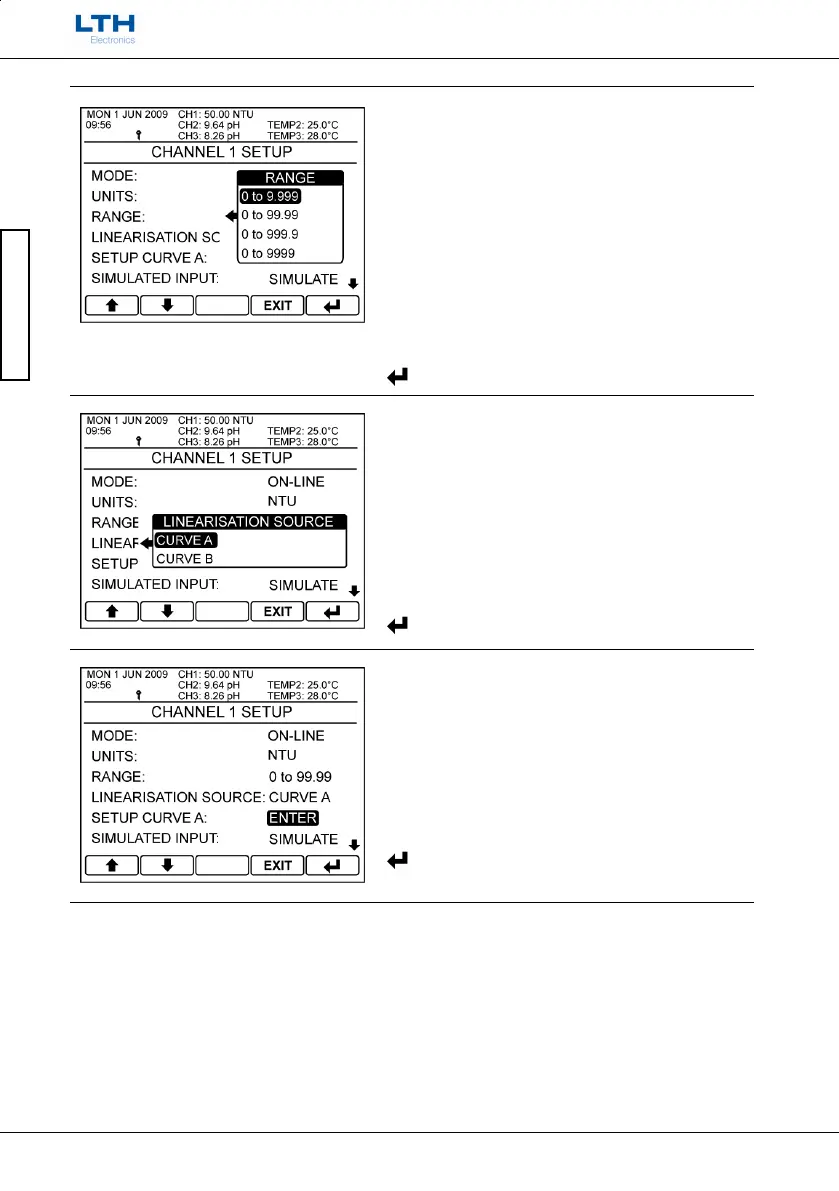
Range
The range for the display can be set by selecting the
decimal point position giving 9.999, 99.99, 999.9 and
9999. These again are for display and setpoint /
current output purposes only.
Note. The ranges for the “%” units also include 100.0
and 10.00.
/ – Select Option
EXIT
– Cancel
– Save Selection
Linearisation Source
Select which of the two user defined curves A or B are
used for calculation of the displayed reading.
/ – Select Option
EXIT
– Cancel
– Save Selection
Setup Curve A / B
Enter the setup curve submenu. See page 14 for
further information on setting up the linearisation
curve.
/ – Select Option
EXIT
– Return to Select Setup Channel
– Enter Option



 To Next Page
 Loading...
