Installation
- 16 -
MXD75 Installation Guide
Installation
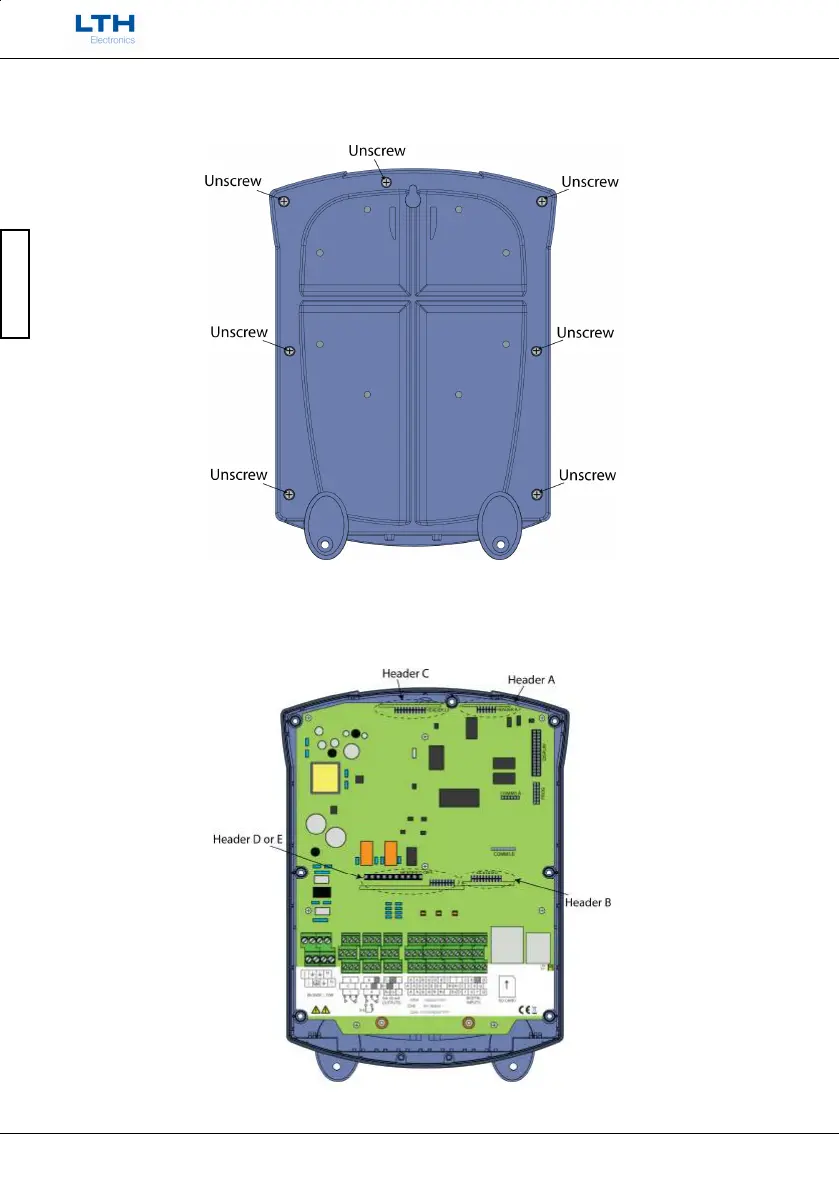
Then on the underside of the case remove the remaining seven screws. N.B. Do not lose the
o-rings which may come off when removing the screws.
The headers with the cards attached must then be inserted into the instrument’s main
board connectors. Match the header’s name with corresponding text on the board, as
shown in the following figure. Care must be taken to align the header board with the
dotted outline on the main board.



 To Next Page