Digital Video Recorder User Manual
27
STEP2 Select the channel that sensors match.
STEP3 Press "Enter" key to confirm the operation.
For example, if you select the sensor named SENSOR1 and the trigger records named CAM1 and CAM2, it will record on
channel 1 and channel 2 when the SENSOR1 is triggered.
6. ALARM OUT
There are two options: ALARMOUT1 and BUZZER.
• When ALARMOUT1 is selected and the sensor is triggered, DVR will give normal alarm.
• When BUZZER is selected and the sensor is triggered, DVR will give buzzer alarm.
• When the alarm output is unselected, DVR will not send alarm.
7. SCHEDULE
It is the schedule of the sensor detection. The default schedule is everyday.
8. COPY TO
Users can copy the setting of this channel to all or any other selected channel.
OTHER ALARM
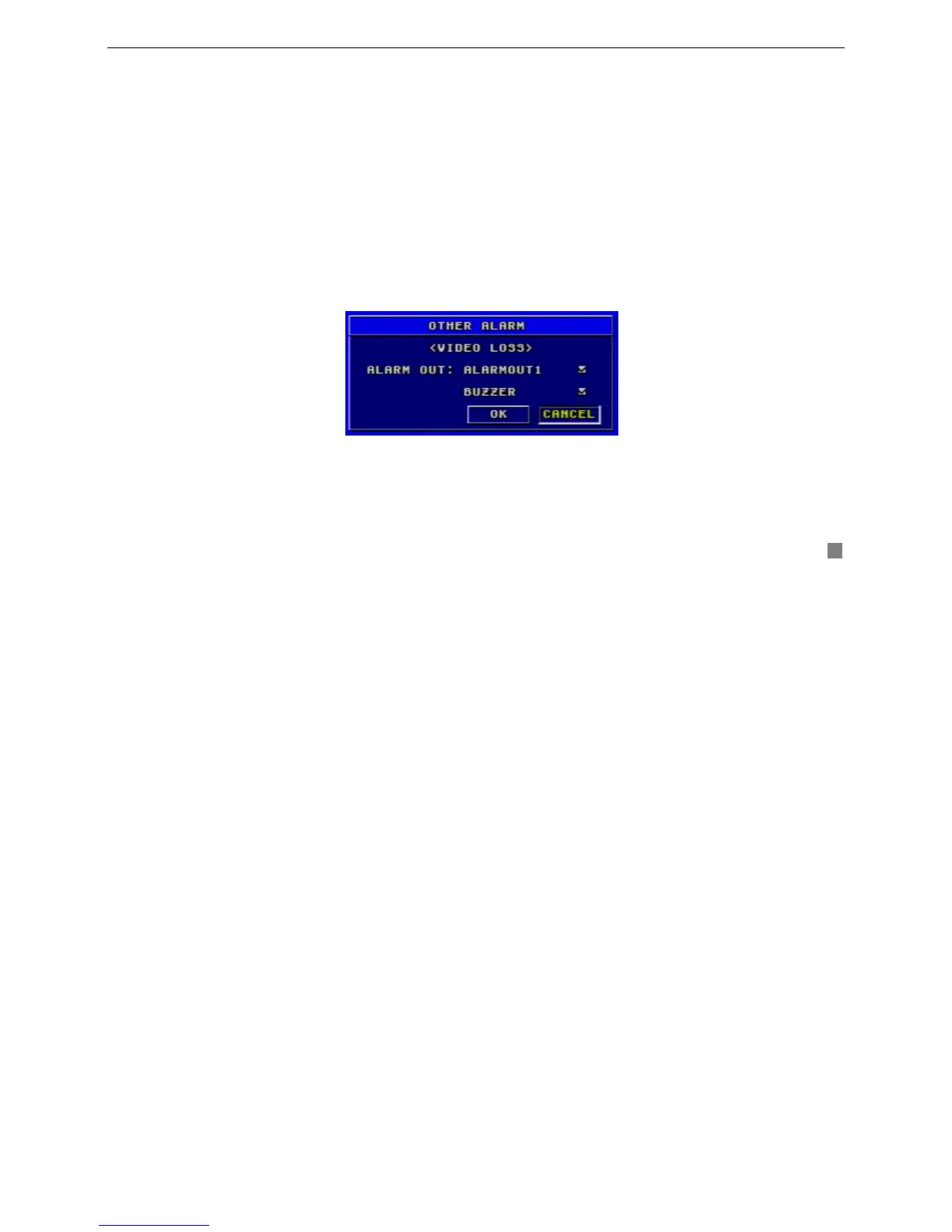
Other Alarm submenu is shown as Fig. 3.13. Other alarm includes video loss, disk full and so on.
Fig3.13 Other Alarm Configuration
There are two options of alarm output: ALARMOUT1 and BUZZER. Their functions are same with that in sensor alarm.
3.2.5 PTZ Configuration
PTZ Configuration menu is shown as Fig. 3.14.









 To Next Page