Digital Video Recorder User Manual
67
4.5 Remote PTZ
PARAMETERS
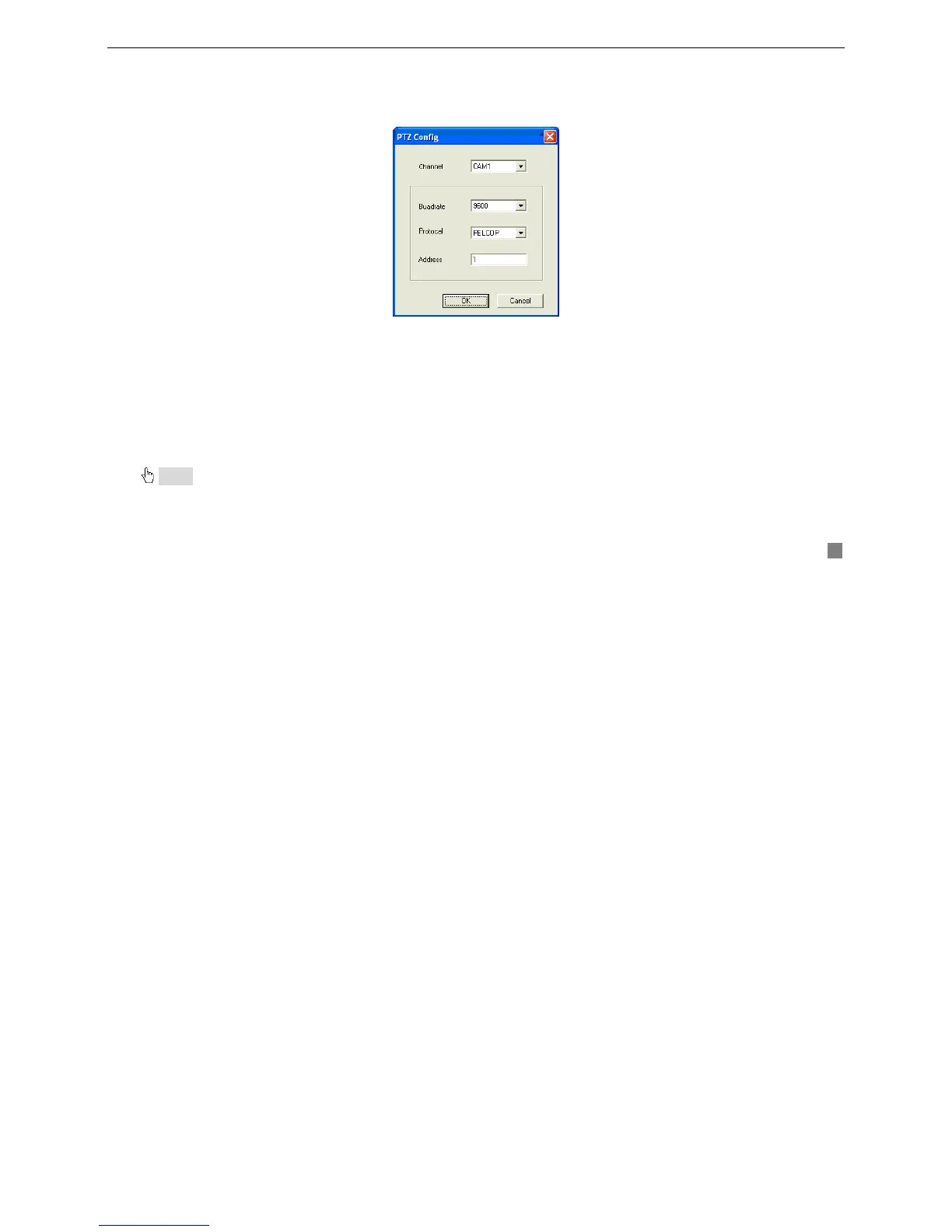
Before operating Remote PTZ, users should set PTZ configuration. PTZ Configuration window is shown as Fig4.19 PTZ
Configuration.
Fig4.19 PTZ Configuration
1. Channel
Select the channel in which PTZ should be control.
2. Baud Rate
Select Baud Rate of PTZ device. The default value is 9600.
3. Protocol
The communication protocol of PTZ device
4. Address
The communication address of PTZ device
Notice: Baud rate and protocol should be found in user’s manual for .PTZ camera









 To Next Page