Digital Video Recorder User Manual
33
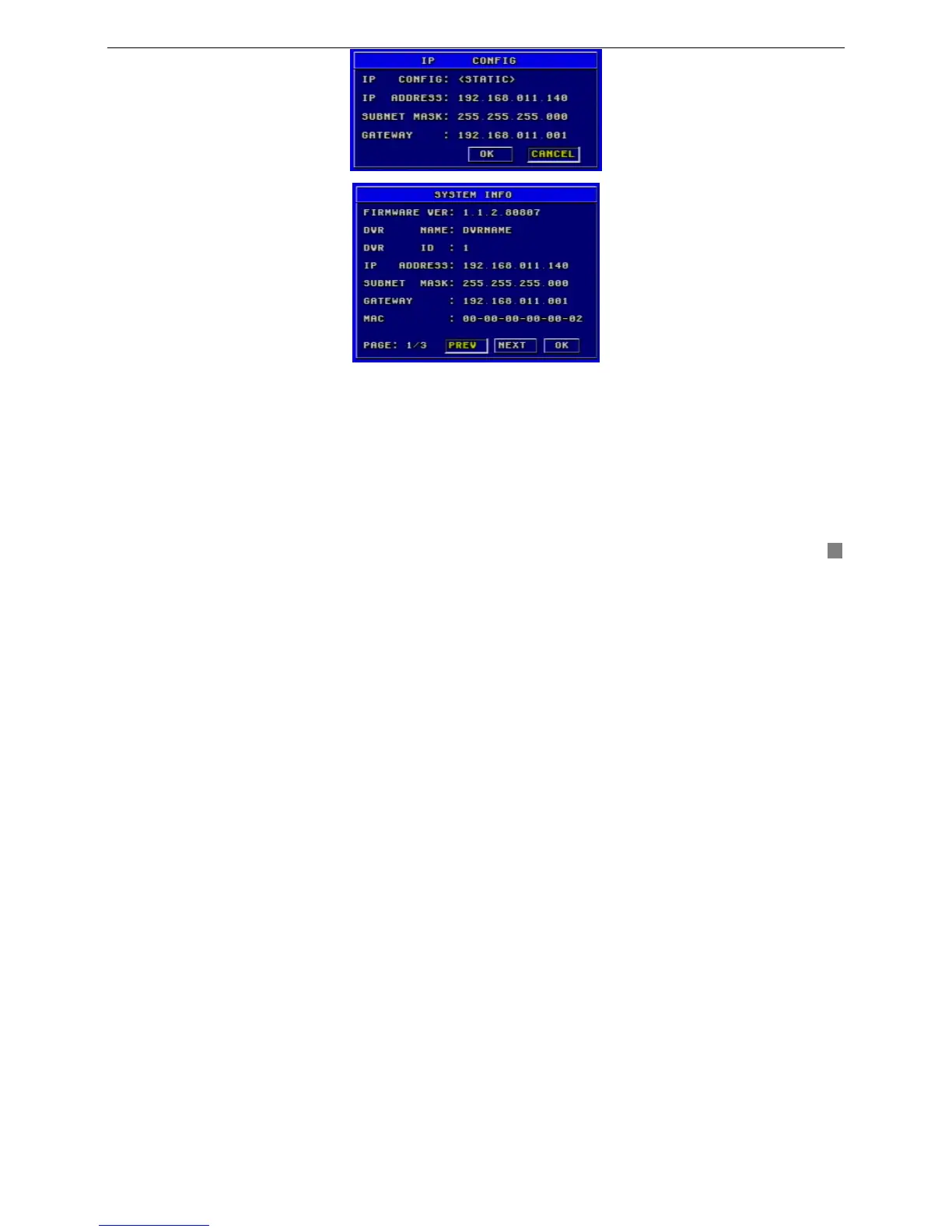
It is DVR’s IP configuration. There are three options: STATIC, DHCP and PPPoE.
Take Static IP address as an example.
STEP1 Input IP Address, Subnet Mask and Gateway
STEP2 Press "OK" button to modify the IP Configuration menu.
If select DHCP, the IP address will be automatically assigned by local network.
After selecting DHCP, you need patience
for waiting about 30 seconds. The automatic assigned IP will be displayed on the system information window.
If selecting PPPoE, you need to input username and password when connecting to internet. If you do not know username
and password, please consult ISP.
Fig3.20 IP Configuration
Fig3.21 System Information









 To Next Page