Digital Video Recorder Quick Start Guide
Chapter 3 Menu Operation
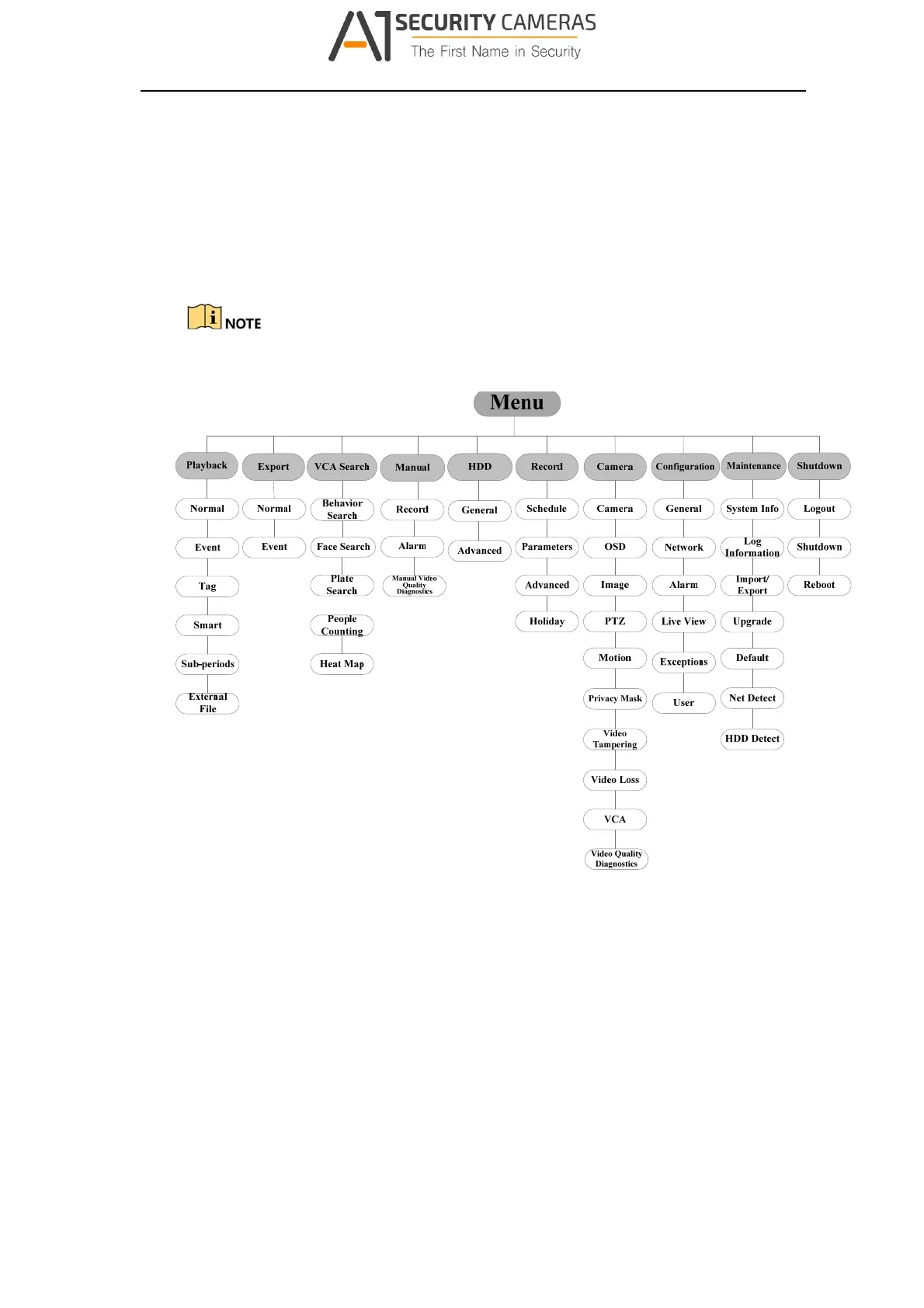
3.1 Menu Structure
The menu structure varies according to different models.
Figure 3‐1 Menu Structur e
3.2 Startup and Shutdown
Proper startup and shutdown procedures are crucial to expanding the life of the DVR.
To start your DVR:
Step 1 Check the power supply is plugged into an electrical outlet. It is HIGHLY
recommended that an Uninterruptible Power Supply (UPS) be used in
conjunction with the device. The Power button on the front panel should be red,
indicating the device is receiving the power.
16
Available from A1 Security Cameras
www.a1securitycameras.com email: sales@a1securitycameras.com








 To Next Page