Digital Video Recorder Quick Start Guide
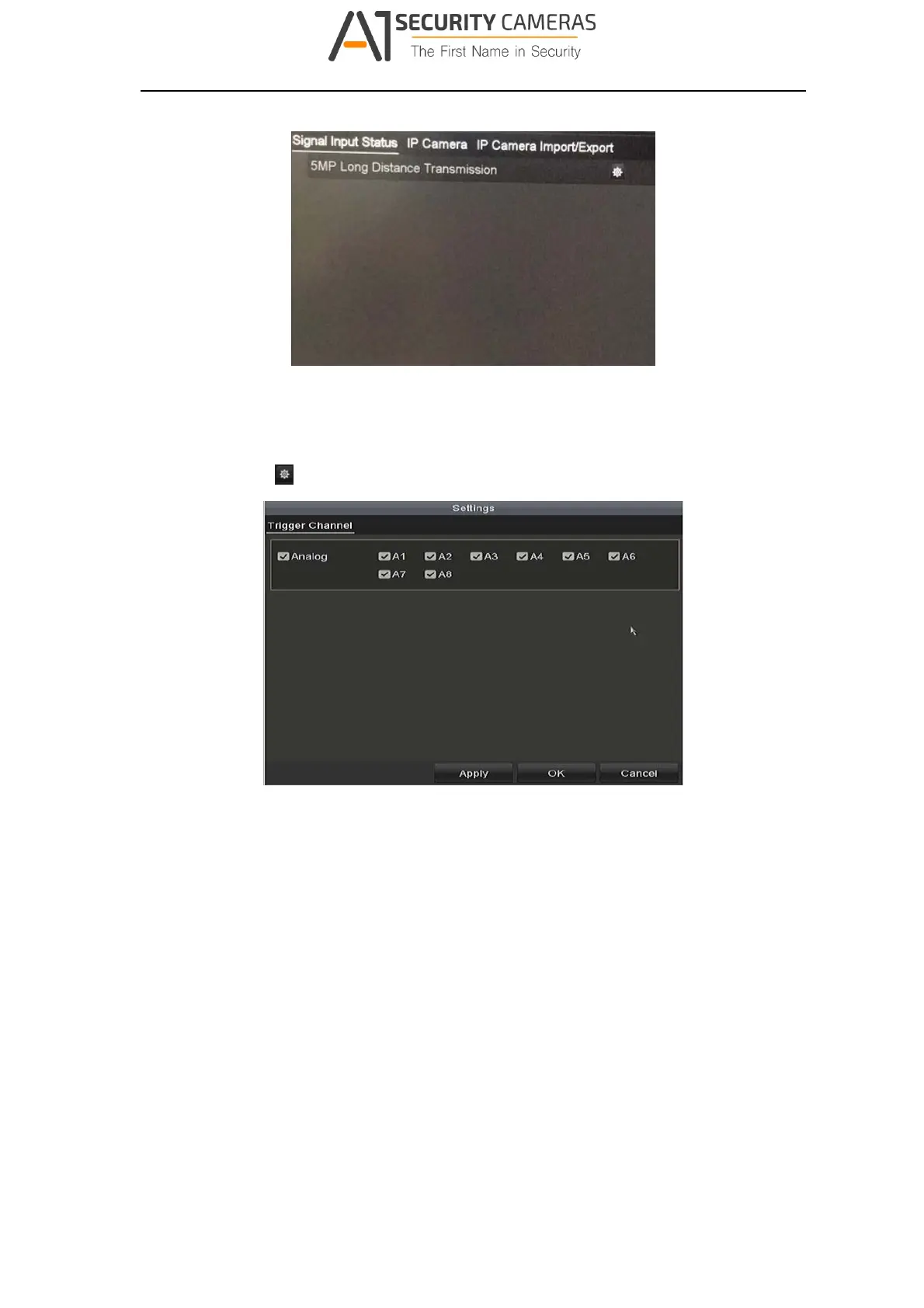
Figure 3‐19 View Signal I nput Type
Step 2 You can enable 5 MP Long Distance Transmission for the HD and AHD signal
input. Follow the steps below to enable the function.
1) Click
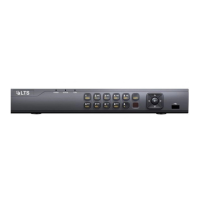
to enter the 5 MP Long Distance Transmission Settings interface.
Figure 3‐20 5 MP Long Distance Tr ansmission Settings
2) Check the checkbox to enable 5 MP Long Distance Transmission of the
selected channel.
3) Click Apply to save the settings and OK to return to the Signal Input Status
interface.
3.8 Network Settings
Purpose:
Network settings must be properly configured before you operate DVR over network.
Step 1 Enter the Network Settings interface.
Menu > Configuration > Network
24
Available from A1 Security Cameras
www.a1securitycameras.com email: sales@a1securitycameras.com








 To Next Page