Digital Video Recorder Quick Start Guide
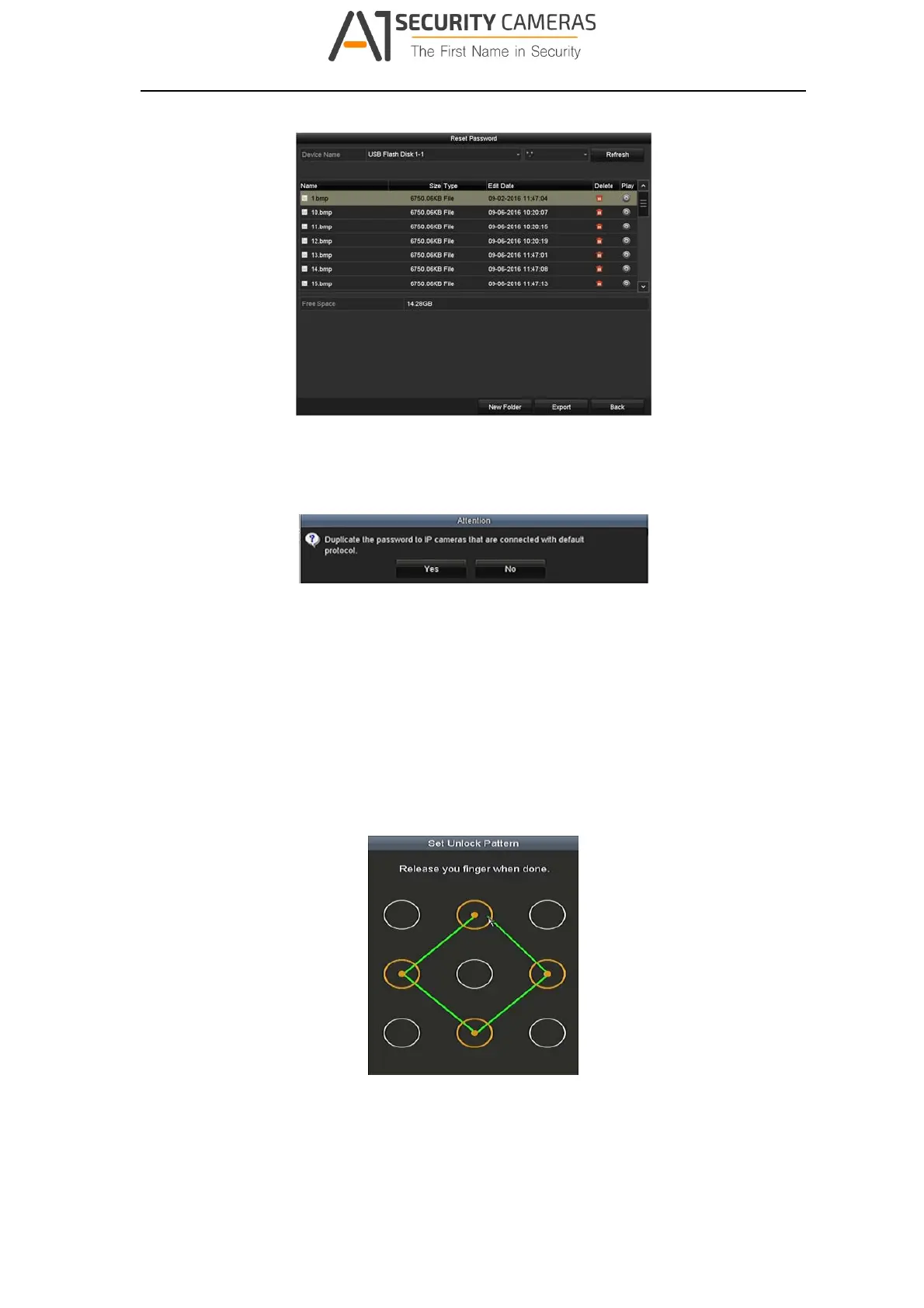
Figure 3‐6 Export GUID
Step 5 After exporting GUID, the Attention box pops up as below. Click Yes to duplicate
the password or No to cancel it.
Figure 3‐7 Duplica t e the Password
3.4 Using the Unlock Pattern for Login
For the Admin user, you can configure the unlock pattern for device login.
After the device is activated, you can enter the following interface to configure the
device unlock pattern.
Step 1 Use the mouse to draw a pattern among the 9 dots on the screen. Release the
mouse when the pattern is done.
Figure 3‐8 Dr aw the Pattern
19
Available from A1 Security Cameras
www.a1securitycameras.com email: sales@a1securitycameras.com



 To Next Page