lumenstudio
™
software user manual
lumenstudio
™
software user manual
22
23
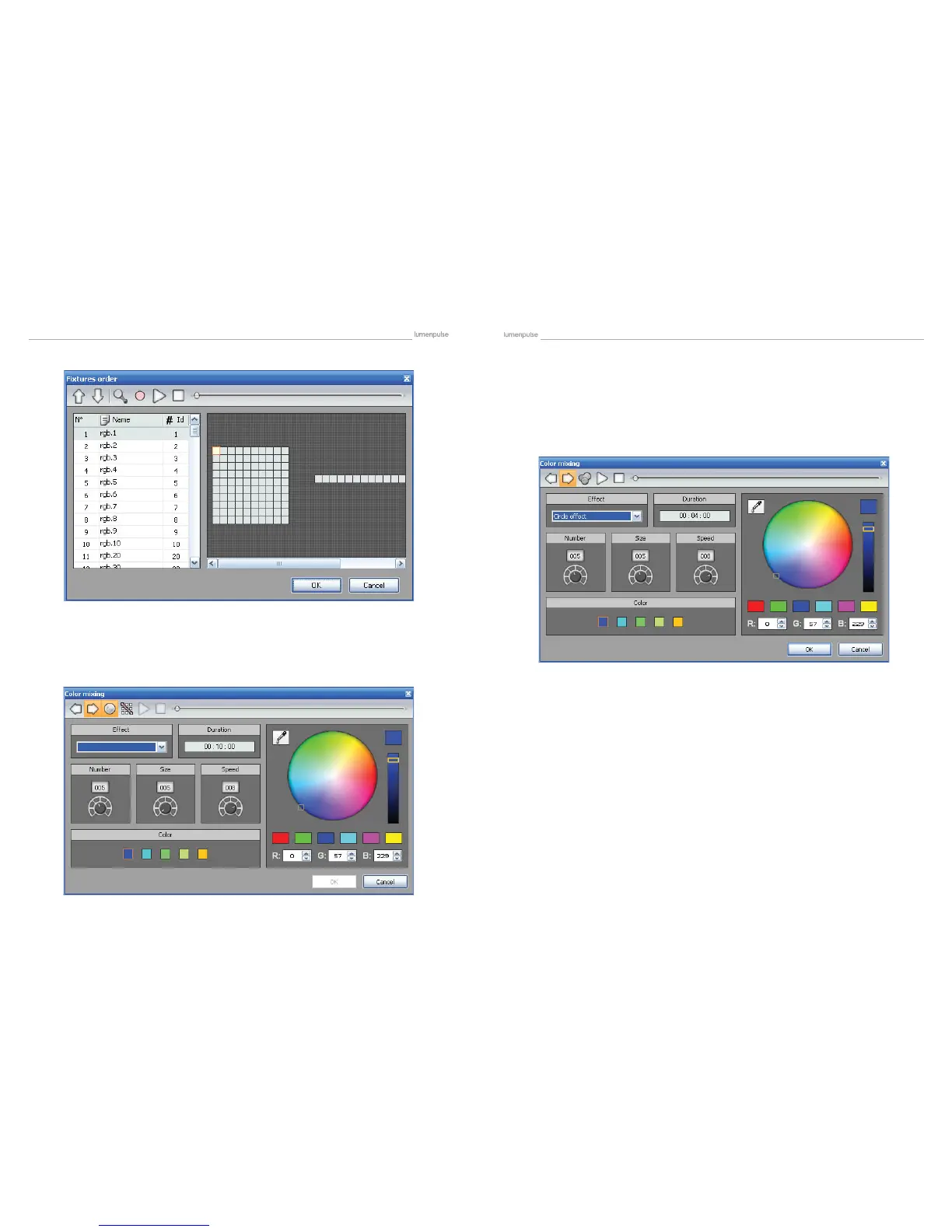
The color mixing tool is the easiest way to create complex color effects. Firstly, select an effect from the drop down menu
and then modify the different options. You can vary the size, speed and duration of the effect as well as changing the colors
used by clicking the pallet icon. You can also change the number of colors used.
Do not forget it is possible to change the order and direction of the effect by clicking on the “Fixtures order” button from the
toolbar (see the “Curve” chapter for more information).
It is important to know that matrix effects can only be used with Rects. It is not possible to drag this kind of effect onto a
regular xture selection. Read the “Rects mode” chapter to see how to use Rects.
Once the matrix effect has been selected and dragged to the timeline, a window is opened and you will have to select
the type of effect (square, circle...).
Several options are available : number of colors, size and speed. It is possible to adjust these settings with the correspond-
ing rotary buttons. Once the number of colors has been changed, you can select the colors from the color picker.
4.2.2.2.4. Color mixing
4.2.2.2.5. Matrix


 To Next Page