lumenstudio
™
software user manual
lumenstudio
™
software user manual
4
5
I Welcome
This software has been specically designed for the Lumentouch
™
2.0 controller and the Lumencue
™
. It is the perfect tool to
simply create your architectural show and to control the latest generation of Lumenpulse
™
products.
We will see how to setup and create your show within the next chapters. Then, we will see how to upload your show into
the Lumentouch or Lumencue memory and to assign your scenes to the touch-sensitive buttons.
Please note that this a quick start type of guide and may not to apply to all installations.
II Contents
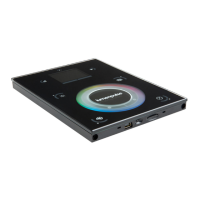
· Lumentouch 2.0 hardware (stand alone wall mounted DMX controller)
· Mini-USB cable
· Micro SDCARD and adapter
· 6V DC power supply (100-240V AC input voltage)
with connector block for DMX connection
· EXT Port connector
A PDF User manual available for download on the Lumenpulse website.
Troubleshooting Tips document available for download on the Lumenpulse website
Lumenstudio programming software available for download on the Lumenpulse website (Hardware Manager is part of the
software download).
Lumencue hardware (stand alone USB based DMX512 lighting controller)
· User manual
· Mini-USB cable
· Mini-SDCARD and adapter
· 6V power supply
To be fully operational, these packages should be used with a PC having the following features :
· Windows XP, VISTA or 7 (32-bit or 64-bit)
· 1024x768 screen resolution (1280x1024 recommended)
· 512MB Memory (1GB recommended)
· Clock frequency : 1 Ghz
· Microsoft DirectX 9.0 compatible video card to use Easy View 3D software
Lumentouch
™
Package Contains:
Lumencue
™
Package Contains:
Welcome to the lumenstudio
™
software


 To Next Page