lumenstudio
™
software user manual
lumenstudio
™
software user manual
42
43
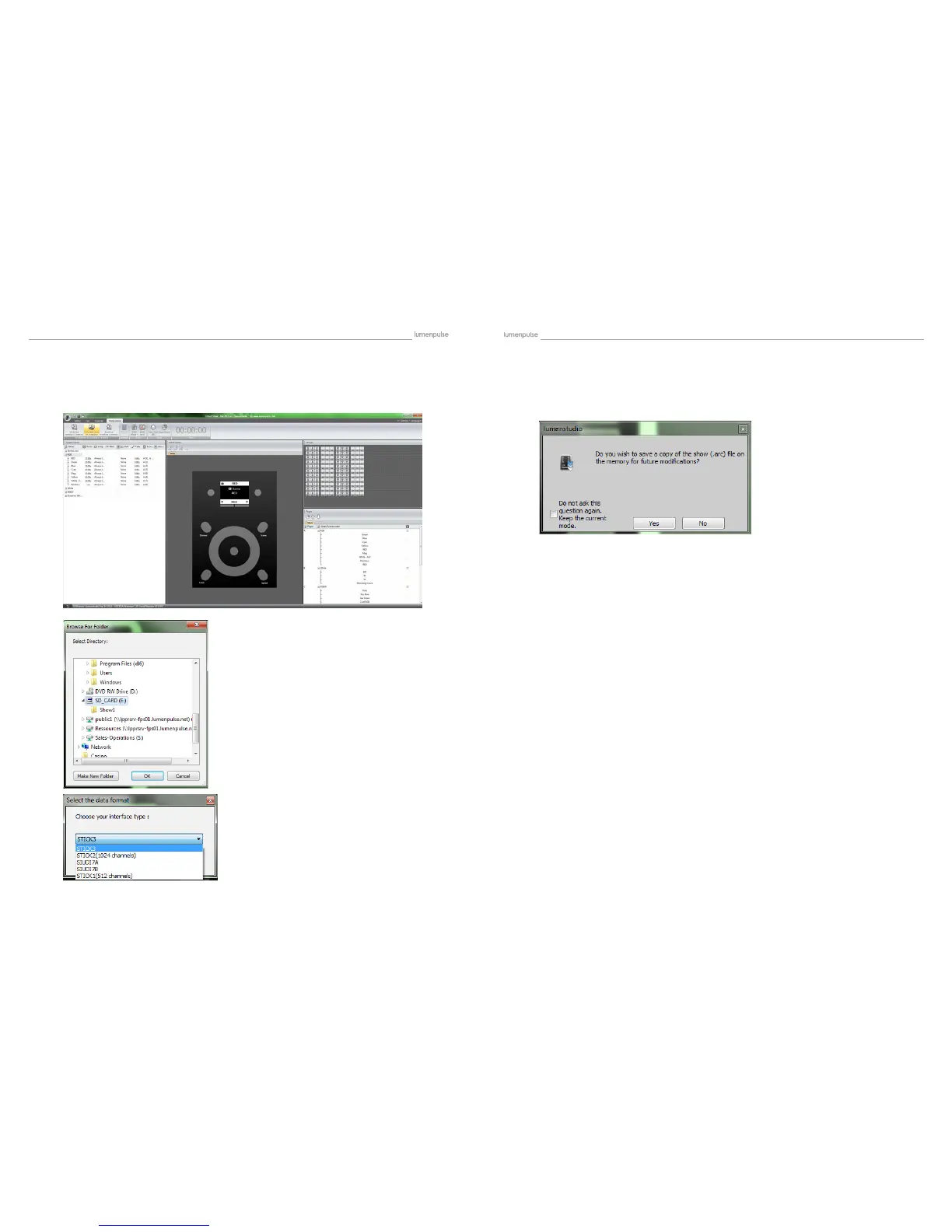
Follow the dialogues as they pop up. The rst will ask if you wish to save a copy of the show le to the memory. This will
allow you to have a copy of the show on the card, in case you do not have access to it on your computer if you ever
want to edit it.
Once you have assigned all the scenes to the buttons, you will want to write the show to your
Lumentouch. Select ‘Write the Show on Computer’. A dialogue will pop up, save it onto the SD
Card. It will overwrite what is on the card. Another dialogue will pop up asking which device type
to save for, choose ‘1024 CHANNELS (STICK)’ for LTO or ‘1024 Channels (SUIDI7) for LCU..


 To Next Page