English- 10
Chapter 4 Installation and Connections
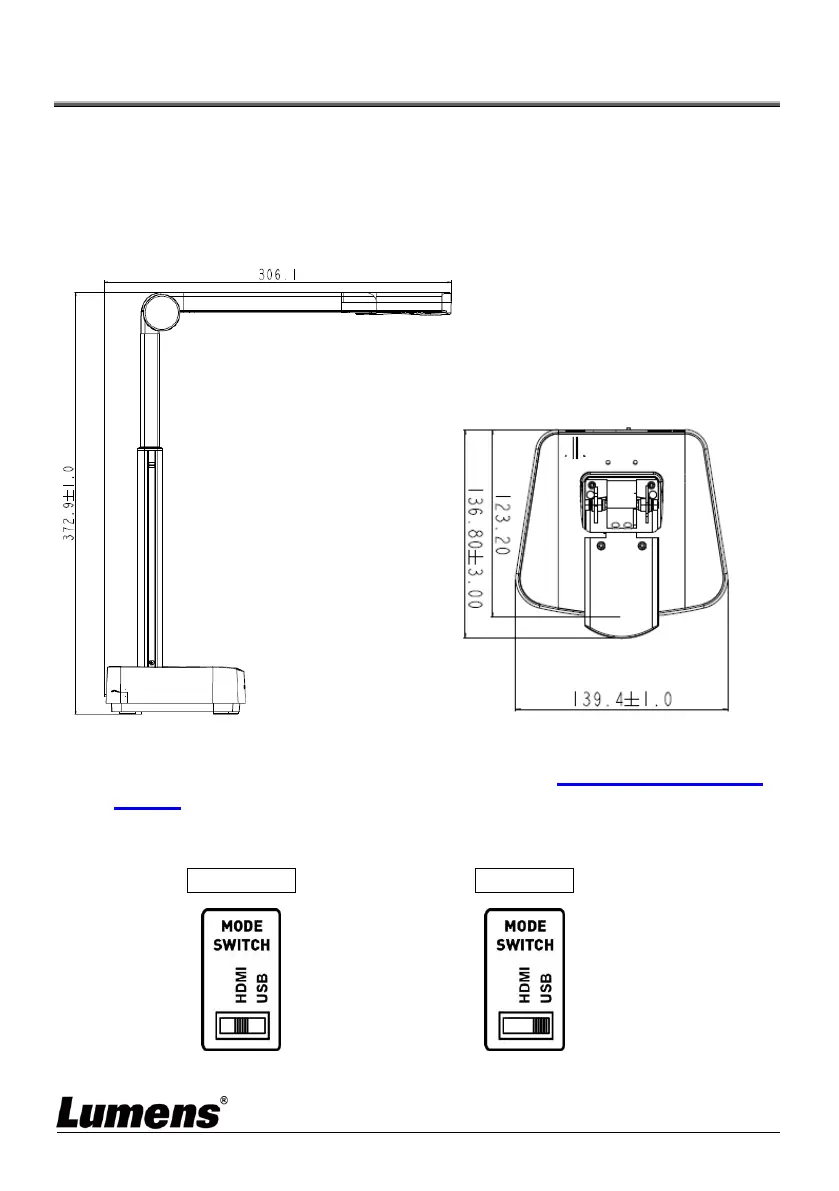
4.1 Machine Size
Length x Width x Height: Extended - 306 x 140 x 373 mm
Closed - 137 x 140 x 270 mm
Weight: 1.2 kg
4.2 Installation and setup
Please set up the DIP switch setting first. Refer to Chapter 8 DIP Switch
Setting.
Please confirm that the product is switched to the desired mode
(HDMI/USB)



 To Next Page
 Loading...









