English- 15
Chapter 6 Introductions to Control Panel
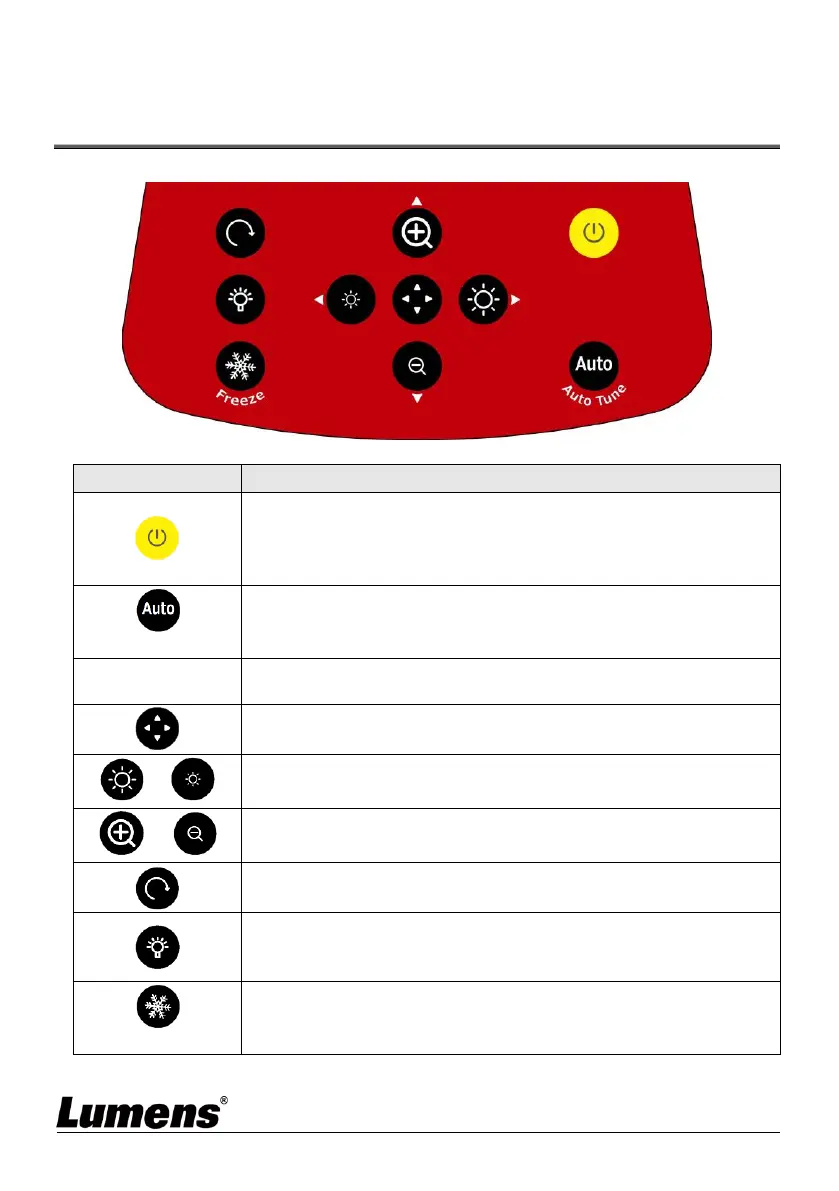
Buttons
Power on and off
Short press: Power on (under standby)
Press and hold for 1 second: Power off (under power on)
Press and hold for 10 seconds: Forcibly power off the system
Automatically adjust the image to have the best brightness and
focusing performance
Left, right, up, down buttons, used for moving in a direction at the
partial enlarged mode
Enable/Disable the partial enlarged mode
Adjust the brightness of the image
Rotate image: 0°/180°/Vertical flip/Horizontal flip/90°/270°
LED lamp mode toggle switch: Off/Brightness 1/Brightness
2/Brightness 3
<Description> Brightness 3 is the brightest state
Freeze the current image to remain temporarily on the screen.
Press again to defreeze



 To Next Page
 Loading...









