English - 11
4.2 Mounting the DC166 at Desktop
1. Please set up the DIP Switch Settings first. Refer to Chapter 6 DIP
Switch Settings in the DC166 user manual.
2. Please refer to the Base Installation Guide for installation instructions
for all parts.
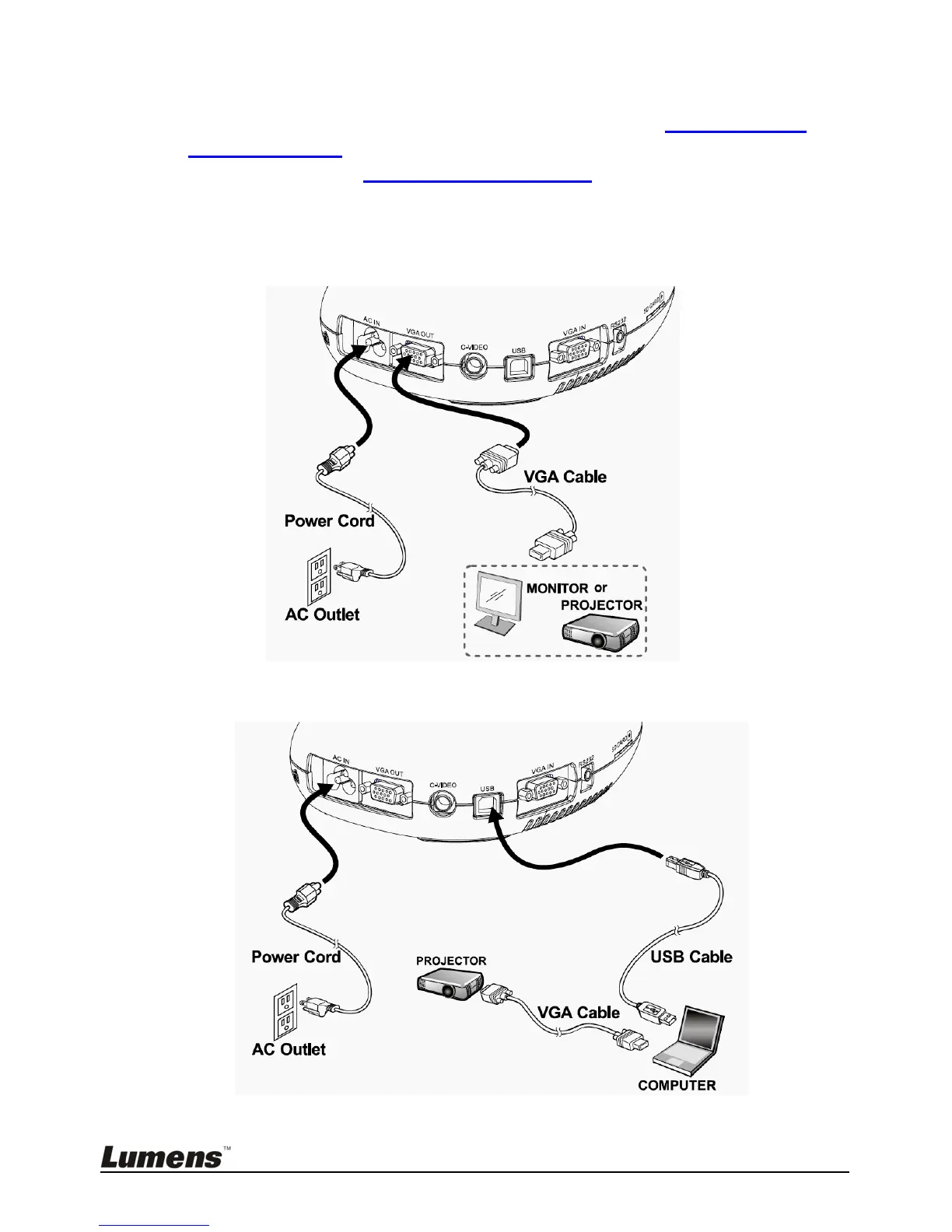
4.3 Connecting to a Projector or Monitor
4.4 Connecting to a Computer and Use Lumens Software
Drivers and software can be downloaded from the Lumens website.



 To Next Page