English - 30
6.1.2 Using the Browser to View the Images
Open the browser, and enter the URL of camera in the IP address bar
e.g.: http://192.168.100.100 (default IP address)
Enter administrator’s account and password
* For the first login, please refer to 6.2.3 Account Management to change the default
password
6.1.3 Using Lumens VMS Software to View the Images
<Remark> For VC-A61PN, to support this function, please turn off NDI|NX (Please
refer to 6.2.5 Settings-Video)
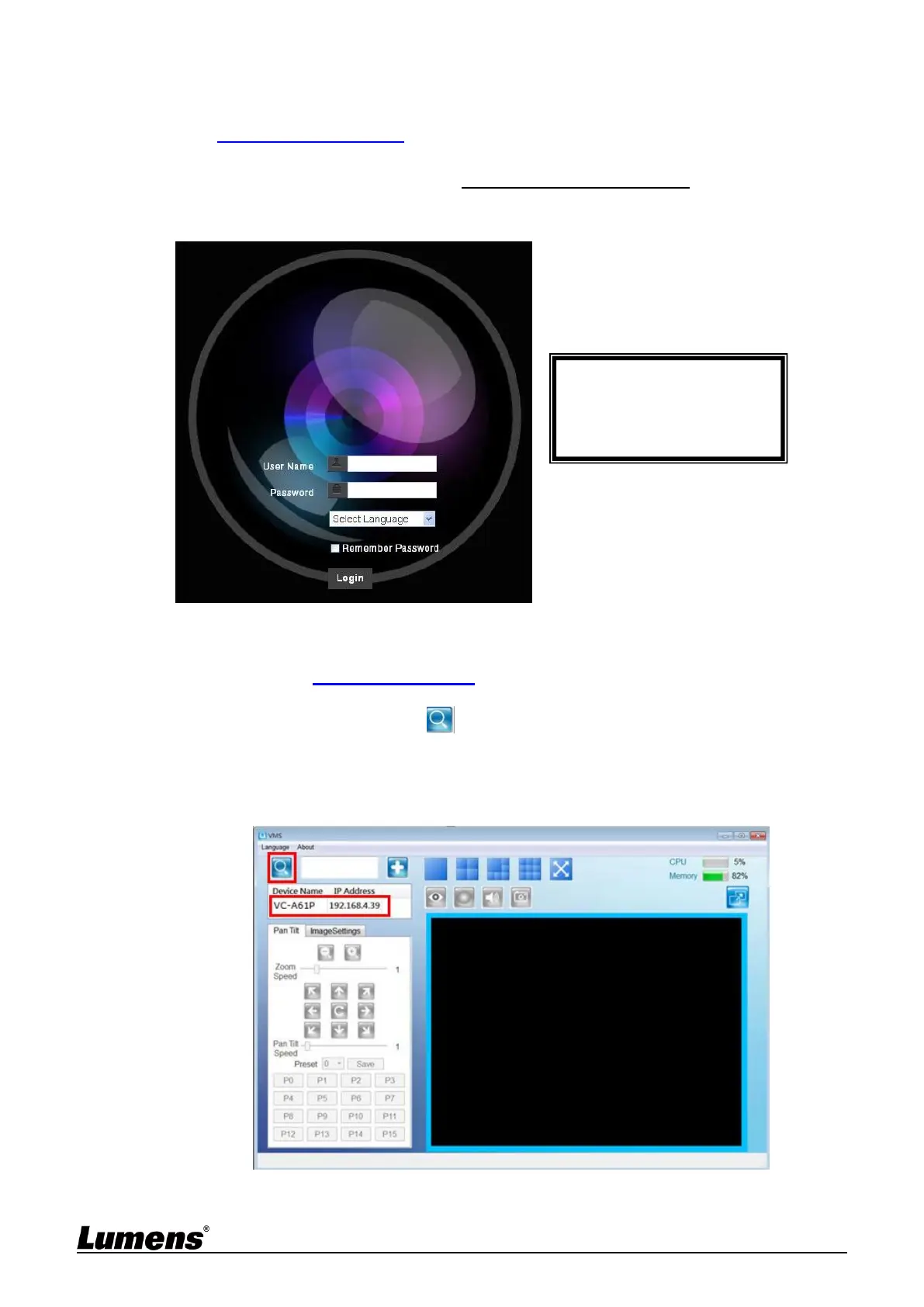
Open LUMENS VMS software (Please download from the Lumens official website)
Search for the camera: Press [automatically search for the device] button to
locate the camera
Click the camera in the list and start operation after connecting to network
<Note> When using automatic search, the camera and computer must be in the same network
segment, e.g.: 192.168.4.X



 To Next Page
 Loading...












